







A free business phone number helps businesses appear more professional while keeping costs low. It separates personal and business communications and often includes useful features like voicemail, call forwarding, and texting, making it a practical solution for freelancers, startups, and small businesses.
Determine the Type of Free Business Phone Number You Need
Before choosing a provider, identify how customers will contact your business and how you intend to manage incoming calls.
Most businesses can choose from several number types:
| Phone Number Type | Best For | Main Advantage | Possible Limitation |
| Local Number | Local businesses | Builds local trust | Limited geographic reach |
| Toll-Free Number | National businesses | Professional appearance | Often limited on free plans |
| Virtual Number | Remote teams | Works anywhere | May require internet connection |
| VoIP Number | Online businesses | Low operating cost | Depends on internet quality |
Match the Number Type to Real Customer Behavior
The right business phone number also depends on when, where, and why customers are likely to call. Two companies serving the same city may need completely different setups because their customer journeys are different. A service business may receive urgent calls throughout the day, while a consultant may receive only a few scheduled inquiries each week.
For example, imagine GreenFix Appliance Repair, a fictional local repair company serving customers within one metropolitan area. A local number with a recognizable area code would make sense because most callers are homeowners searching for nearby help. Now consider NorthStar Resume Studio, a fictional remote career consulting business serving clients across several states. Geographic recognition matters less for this company, so a virtual number that works across a laptop and smartphone may provide greater flexibility.
Compare Free Business Phone Number Providers

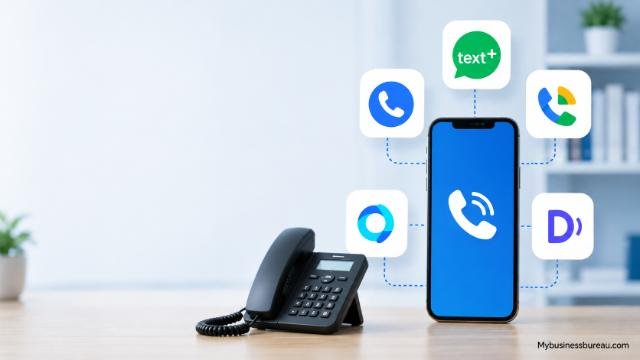
Several providers offer free business numbers or free plans with limited features.
| Provider | Free Option | SMS Support | Mobile App | Best For |
| Google Voice | Yes (personal use and eligible business integrations) | Yes | Yes | Freelancers and small businesses |
| TextNow | Yes | Yes | Yes | Budget-conscious startups |
| TextFree | Yes | Yes | Yes | Individual professionals |
| Dingtone | Yes | Yes | Yes | International users |
| 2ndLine | Trial or promotional offers | Yes | Yes | Secondary business numbers |
When comparing providers, evaluate:
- Monthly cost after the free plan
- Number ownership
- Call quality
- Customer support
- Number portability
- International calling
- Voicemail capabilities
- Call forwarding
- Mobile compatibility
- Desktop access
The best provider depends on your expected call volume and the features your business requires.
Test Providers With Real Business Scenarios
Feature lists are useful, but a practical test can reveal limitations that are easy to overlook. Before publishing a new number, simulate the types of communication your business expects to receive. Call the number from another phone, leave a voicemail, send a text message if SMS is supported, and check how quickly notifications appear on connected devices.
Create Your Free Business Phone Number
Most providers follow a similar setup process.
The registration usually begins with creating an account using an email address. Some providers may request identity verification before assigning a phone number.
Next, choose your preferred area code. Businesses serving local communities often select numbers matching their city or region because customers recognize familiar area codes.
After selecting the number, install the provider’s mobile application or desktop software. Most cloud communication systems immediately activate the number once verification is complete.
Finally, test incoming and outgoing calls to ensure everything functions correctly before sharing the number with customers.
Configure Professional Business Features
A business phone number becomes much more valuable when combined with professional communication features.
Essential features include:
- Custom voicemail greeting
- Business hours
- Call forwarding
- Missed call notifications
- Auto-replies for text messages
- Multiple device support
- Spam call filtering
- Contact management
A customized voicemail greeting creates a positive first impression. Instead of a generic recording, greet callers with your business name, operating hours, and expected callback time.
Call forwarding ensures you never miss important customer inquiries. Incoming calls can ring your smartphone, office phone, or multiple devices simultaneously.
Business hour settings also help maintain work-life balance by directing after-hours callers to voicemail without disturbing your personal time.
Build a Simple Call-Handling Workflow
Business phone features become more effective when each incoming call has a defined path. Instead of enabling voicemail, forwarding, and notifications independently, configure them to work as a simple customer-response system.
Separate Business Calls From Personal Calls
One major advantage of using a dedicated business number is keeping personal and professional communication independent.
Using separate numbers provides several benefits:
- Improved privacy
- Better customer organization
- Easier call tracking
- Professional branding
- Reduced interruptions
- Cleaner business records
Many entrepreneurs initially use a personal mobile number, but as customer inquiries increase, separating communications becomes increasingly important.
Dedicated business numbers also simplify employee onboarding since calls can be forwarded to multiple team members without exposing personal phone numbers.
Customize Your Business Voicemail and Greetings

Professional voicemail improves customer confidence.
A strong greeting should include:
- Business name
- Appreciation for calling
- Office hours
- Expected callback timeframe
- Alternative contact method if urgent
For example:
“Thank you for calling Bright Marketing Solutions. We are currently unavailable. Please leave your name, phone number, and a brief message, and we will return your call within one business day.”
Keeping greetings concise ensures callers remain engaged and leave complete messages.
Adapt Your Voicemail to the Reason Customers Call
A useful voicemail greeting should reflect the type of information callers normally need. A generic message can confirm that the caller reached the correct business, but an industry-specific greeting can also help collect information that makes the callback more productive.
Connect Your Business Phone Number Across Devices
Modern virtual phone systems operate on multiple devices simultaneously.
Most providers allow access through:
- Android phones
- iPhones
- Windows computers
- Mac computers
- Web browsers
- Tablets
Cloud synchronization means call history, contacts, voicemail, and text messages remain available regardless of the device you use.
Remote teams especially benefit from this flexibility because employees can answer customer calls from virtually any location.
Protect Customer Privacy and Business Security
Security should always be considered when selecting a communication platform.
Important security practices include:
- Enable two-factor authentication.
- Use strong passwords.
- Review account permissions regularly.
- Monitor login activity.
- Update applications frequently.
- Avoid sharing administrator credentials.
Businesses handling sensitive customer information should also review provider policies regarding data encryption, call storage, and regulatory compliance.
Maintaining separate business credentials minimizes security risks while preserving customer trust.
Upgrade When Your Business Expands
Free plans are excellent starting points but often include limitations such as:
- Monthly calling limits
- Limited voicemail storage
- Restricted international calling
- Fewer automation features
- Basic customer support
As your company grows, premium plans may provide additional capabilities such as:
- Auto attendants
- Call recording
- Team extensions
- Analytics dashboards
- CRM integrations
- Shared inboxes
- Advanced routing
- Video meetings
Upgrading only when your communication needs increase helps control costs while maintaining service quality.
Promote Your New Business Phone Number
Once your number is active, make it visible across every customer touchpoint.
Update your:
- Website
- Google Business Profile
- Business cards
- Email signature
- Social media pages
- Online directories
- Invoices
- Marketing materials
- Product packaging
- Customer support pages
Consistent presentation strengthens your brand identity and makes it easier for customers to contact your business.
Tracking where calls originate also helps measure the effectiveness of different marketing channels.
Common Mistakes to Avoid
Businesses often encounter preventable issues during setup.
Avoid these mistakes:
- Using a personal voicemail greeting
- Ignoring missed calls
- Choosing an unfamiliar area code without reason
- Forgetting to enable voicemail
- Failing to test call quality
- Not backing up important messages
- Switching providers frequently
- Publishing the wrong phone number
Regularly reviewing your phone system helps ensure customers receive a consistent and professional experience.
Free vs Paid Business Phone Numbers
| Feature | Free Number | Paid Number |
| Monthly Cost | Free | Monthly subscription |
| Local Number | Usually included | Included |
| Voicemail | Usually included | Advanced options |
| SMS | Often included | Enhanced messaging |
| Call Forwarding | Basic | Advanced routing |
| Analytics | Limited | Detailed reporting |
| Team Extensions | Rare | Common |
| Customer Support | Basic | Priority support |
For solo entrepreneurs and small startups, a free business phone number often provides enough functionality. Larger organizations generally benefit from premium features that improve scalability and customer service.
Conclusion
A free business phone number is one of the easiest ways to create a more professional customer experience while keeping costs low. By selecting the right provider, configuring essential features such as voicemail and call forwarding, separating personal and business communications, and promoting your new number consistently, you can improve credibility and responsiveness from day one.
As your business grows, you can transition to a paid plan that offers advanced call management, analytics, and collaboration tools without changing the phone number your customers already know.
FAQ’s
Yes. Several providers offer free virtual business phone numbers with features such as voicemail, call forwarding, and text messaging. Free plans may have usage or feature limitations.
Yes. When configured with a business voicemail greeting, proper call routing, and consistent branding, a free business phone number can present a highly professional image.
Yes. Most virtual business phone services allow you to use your current smartphone while keeping your personal number private.
Many free providers support SMS messaging, allowing businesses to communicate with customers through both calls and text messages.
Many providers support number portability, enabling you to move your existing business number to another service if your needs change. Check your provider’s portability policy before signing up.
A local number is ideal if you primarily serve customers in a specific geographic area. A toll-free number is often a better choice if you operate nationally or want to emphasize broad accessibility.


