






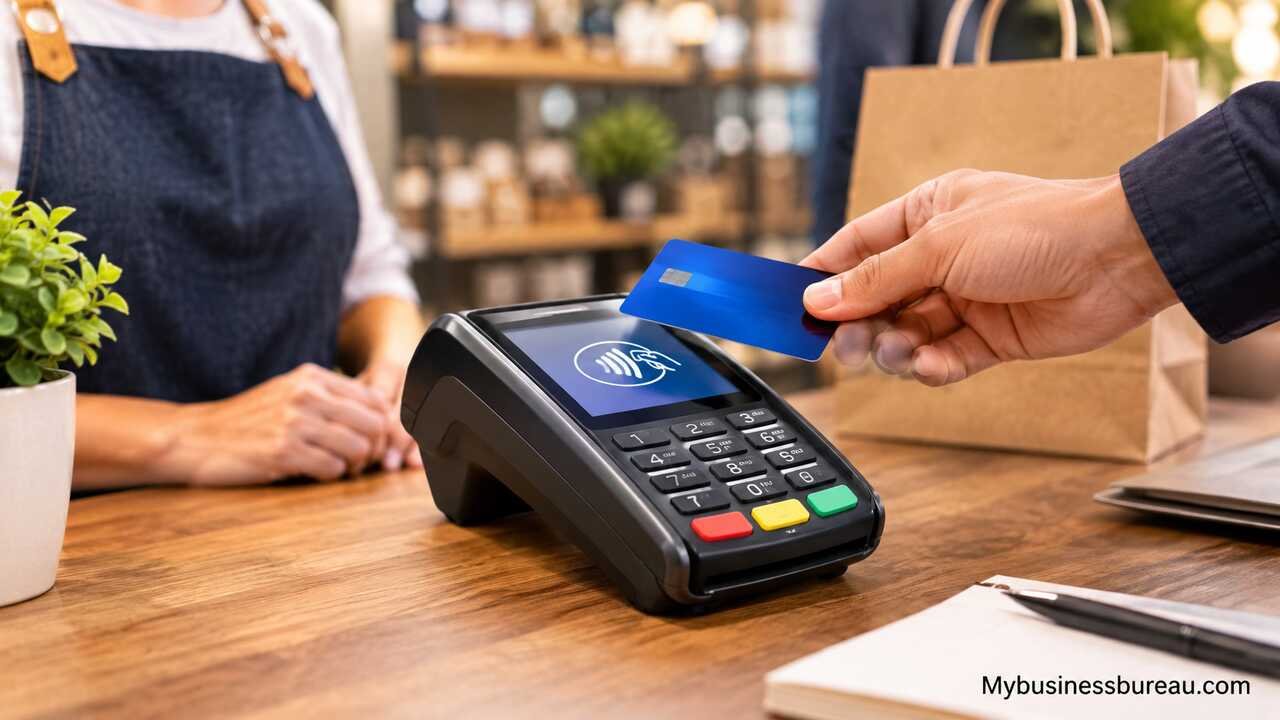
A credit card machine for small business helps merchants accept secure and convenient card, contactless, and mobile wallet payments. Choosing the right machine requires comparing processing fees, payment options, security, connectivity, portability, and POS compatibility to ensure the system fits daily operations and supports business growth.
Determine How Your Small Business Accepts Customer Payments
Start by identifying where and how customers normally pay your business. A fixed retail counter has different payment requirements from a food truck, mobile contractor, delivery business, or vendor that operates at events. Matching the credit card machine to the checkout environment reduces unnecessary hardware expenses and makes transactions easier for employees and customers.
A traditional countertop terminal is suitable when most transactions occur at one checkout station. These machines usually connect through Wi-Fi, Ethernet, or another network connection and remain close to the cash register. Portable and wireless terminals give employees greater flexibility because payments can be processed away from a fixed checkout. A restaurant server, for example, can bring the terminal directly to the customer’s table.
Mobile card readers provide another option for businesses with limited transaction volume or employees who work in different locations. These compact devices can connect to a smartphone or tablet and process payments through a payment application. Understanding your sales environment first makes it easier to determine whether you need a countertop machine, wireless terminal, mobile reader, or complete point-of-sale system.
Compare the Main Types of Credit Card Machines
Compare available terminal types according to mobility, transaction volume, available counter space, and the complexity of your checkout process. Small businesses no longer need to rely exclusively on traditional machines with physical keypads. Payment hardware now ranges from simple card readers to touchscreen terminals that combine payment processing with broader business-management features.
Countertop terminals work particularly well for stores, clinics, offices, and service counters where customers approach a fixed payment location. Wireless terminals contain rechargeable batteries and network connectivity, allowing employees to carry the device. Mobile readers are typically smaller and rely on a connected smartphone or tablet. Smart terminals offer touchscreen interfaces and may support inventory, receipts, tipping, employee access, and other functions.
| Machine Type | Best Suited For | Mobility | Typical Capabilities |
| Countertop terminal | Retail stores, offices, service counters | Low | Chip, contactless, PIN, receipts |
| Wireless terminal | Restaurants, events, large premises | High | Portable card and contactless payments |
| Mobile card reader | Contractors, market vendors, startups | Very high | Smartphone-based card acceptance |
| Smart terminal | Growing retail and service businesses | Medium to high | Payments, apps, receipts, business tools |
| Integrated POS terminal | Retailers and restaurants | Varies | Payments, inventory, reporting, staff management |
The best option depends on workflow rather than the number of features available. A small market vendor may receive greater value from a simple mobile reader than an expensive integrated system. A busy retailer processing hundreds of daily transactions may benefit from a faster, permanently connected terminal with point-of-sale integration.
Confirm Support for Chip, Contactless, and Mobile Wallet Payments

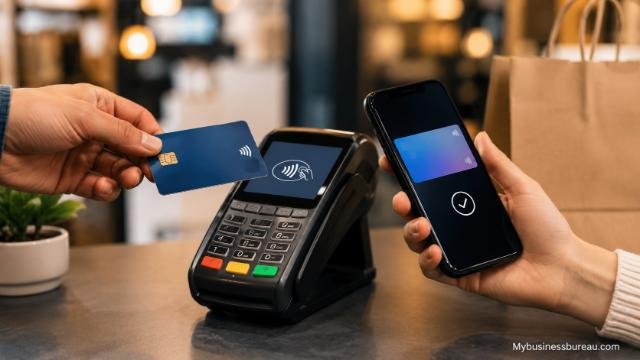
Choose a credit card machine that supports the payment methods your customers regularly use. At a minimum, modern payment hardware should be capable of accepting EMV chip cards and contactless transactions where these payment methods are supported by your processor and market. Broader payment compatibility prevents customers from encountering unnecessary problems at checkout.
EMV technology processes information stored on a card’s chip instead of depending solely on its magnetic stripe. Contactless technology allows compatible cards and devices to communicate with the terminal over a very short distance. Customers can tap a contactless card, smartphone, or compatible wearable device against the terminal rather than inserting a card.
Mobile wallets have also become an important consideration for customer convenience. A terminal with NFC capability can typically support compatible contactless wallets when properly configured through the payment provider. Businesses should confirm actual compatibility before purchasing hardware because available payment methods can depend on the terminal, processor, software, geographic market, and merchant setup.
Calculate Credit Card Processing Fees Before Selecting a Machine
Calculate the total payment-processing expense instead of choosing a terminal based only on its purchase price. Hardware may represent a relatively small portion of long-term payment costs. Transaction charges, monthly fees, software subscriptions, chargeback fees, equipment leases, and optional services can significantly affect the total amount a business spends.
Processing costs can be structured in several ways. Some providers offer a simple percentage plus a fixed amount for each transaction. Other arrangements use interchange-plus pricing, tiered pricing, or customized rates based on transaction volume and business characteristics. The cheapest structure for one company may not be the cheapest for another because average ticket size and monthly card volume influence total costs.
For example, a business with many low-value transactions should pay close attention to fixed per-transaction charges. A business with fewer high-value purchases may be more sensitive to the percentage rate. Estimating fees using actual or projected monthly sales provides a more meaningful comparison than focusing on an advertised headline rate.
Review Hardware and Ongoing Payment Costs Together
Create a complete cost estimate covering the machine, processing service, software, accessories, and long-term obligations. Some credit card machines are purchased outright, while others may be rented, leased, bundled with a processing agreement, or provided as part of a payment package. Each arrangement can produce a different total cost of ownership.
A low initial hardware price can be attractive to a new business, but recurring expenses deserve greater attention. Monthly software charges, additional terminal fees, premium reporting tools, receipt-paper costs, cellular connectivity, and other services can increase operating expenses. Long equipment leases can also make changing providers more difficult.
| Cost Category | Details to Check |
| Terminal cost | Purchase price, rental, lease, or included hardware |
| Transaction fees | Percentage rate and fixed transaction charge |
| Monthly charges | Account, software, platform, or service fees |
| Additional services | Advanced reporting, POS features, cellular service |
| Chargebacks | Dispute or chargeback-related fees |
| Contract costs | Early termination or long-term commitments |
| Accessories | Printer paper, stands, docks, scanners, cash drawers |
Requesting a complete fee schedule can reveal costs that are not obvious from promotional pricing. Businesses should also determine whether advertised rates apply to all transactions or only certain payment types.
Check Internet and Wireless Connectivity Requirements
Match the machine’s connectivity options to the reliability and layout of your business. Payment terminals need a dependable method for communicating with the processor to authorize transactions. Connectivity problems can slow checkout, frustrate customers, and interfere with sales during busy periods.
Ethernet connections can provide stable communication for fixed countertop terminals. Wi-Fi gives businesses greater flexibility when running network cables is inconvenient. Some portable terminals can use cellular connections, which can be useful for mobile businesses, outdoor events, deliveries, or locations where normal broadband access is unavailable.
A business should also investigate what happens when connectivity fails. Certain systems may provide limited offline functionality, but offline transactions introduce additional considerations because authorization cannot occur normally at the time of payment. Merchants should understand the provider’s offline-payment rules and associated risks before relying on this feature.
Prioritize Payment Security and PCI Compliance
Select payment hardware and processing services that support strong security practices. Card payments involve sensitive financial information, so businesses need systems designed to protect payment data throughout the transaction. Security should be treated as a core purchasing requirement rather than an optional feature.
Modern payment environments can use technologies such as encryption and tokenization to reduce exposure of sensitive card information. Encryption protects data during relevant stages of transmission, while tokenization can replace sensitive card details with a substitute value for certain storage and processing purposes. EMV chip technology also provides stronger transaction security than relying exclusively on magnetic-stripe data.
Businesses accepting payment cards should understand their responsibilities under the Payment Card Industry Data Security Standard, commonly known as PCI DSS. Requirements vary according to the merchant’s payment environment and processing arrangements. Using approved equipment and following the payment provider’s security instructions can make compliance easier, but merchants remain responsible for understanding the obligations that apply to their operations.
Match the Terminal to Your Point-of-Sale System
Confirm that the credit card machine can work effectively with your existing or planned point-of-sale system. Integration allows transaction information to move between payment hardware and checkout software without requiring employees to enter the same amount manually on multiple devices.
For a retailer, POS integration can connect payments with product sales, inventory levels, taxes, discounts, refunds, and receipts. Restaurants may need table management, tipping, menu controls, and order routing. Service businesses may value customer records, appointment management, invoices, or employee tracking.
An integrated system can also reduce data-entry mistakes. If an employee enters a transaction total into the POS and then manually types the amount into a separate terminal, errors can occur. An integrated payment terminal can receive the amount directly from compatible checkout software. Before buying equipment, verify compatibility with the specific software, processor, operating system, and hardware configuration you intend to use.
Evaluate Transaction Speed and Checkout Experience
Choose hardware that can process normal transactions without creating unnecessary delays. Checkout speed matters because payment is often the final interaction a customer has with the business. A slow or confusing payment process can reduce the quality of an otherwise positive experience.
Machine performance depends on hardware, network connectivity, processor response times, software, and the payment method used. The terminal interface should also be easy for employees and customers to understand. Clear instructions for inserting, tapping, entering a PIN, selecting receipt preferences, or adding a tip can reduce confusion.
Consider physical usability as well. Screen visibility, keypad size, battery life, receipt printing, terminal weight, charging requirements, and accessibility can influence everyday performance. Features that seem minor during comparison shopping can become significant when employees use the machine hundreds of times each week.
Choose Portable Hardware for Mobile and Service Businesses
Select a portable credit card machine when customers frequently pay away from a permanent checkout counter. Portability is particularly useful for food trucks, contractors, home-service businesses, market vendors, delivery services, restaurants, and event sellers.
A mobile reader connected to a smartphone can be practical for businesses processing occasional transactions because it minimizes equipment requirements. A dedicated wireless terminal can be better for companies processing payments frequently because employees do not have to depend on a personal phone or separate mobile device.
Battery capacity and connectivity become especially important in mobile environments. A portable machine should last through the expected working period and connect reliably where transactions occur. Businesses working outdoors or across a wide geographic area should check whether Wi-Fi alone is sufficient or whether cellular connectivity would provide greater reliability.
Add Receipt, Tipping, and Customer-Facing Features
Identify customer-facing functions that directly support your business model. A basic terminal may be sufficient for straightforward retail transactions, while restaurants, salons, cafes, and personal-service businesses may benefit from configurable tipping screens and digital receipt options.
Receipt functionality varies considerably. Some terminals contain built-in printers, while compact readers may rely on email or text receipts. Businesses that regularly serve customers who require printed receipts should factor printer functionality and paper costs into the purchasing decision.
Customer-facing displays can provide another advantage by showing transaction totals and payment instructions clearly. More advanced systems may display itemized orders, tipping choices, loyalty prompts, or receipt options. These features should improve the transaction rather than introduce excessive prompts that make checkout slower.
Compare Merchant Account and Payment Processor Requirements
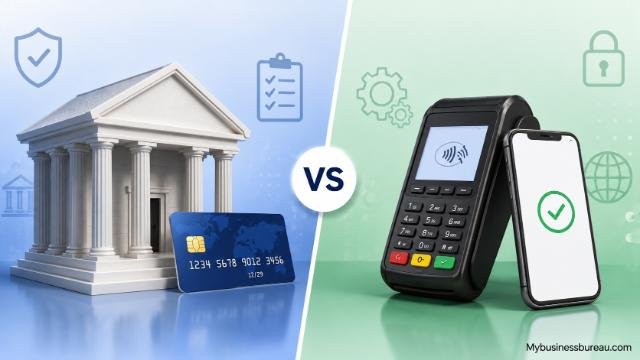
Investigate the processing relationship attached to a machine before committing to the hardware. A credit card terminal generally cannot process payments independently. It needs to communicate with a compatible payment processor, acquiring arrangement, or payment platform that handles authorization and settlement.
Some machines are designed for a particular payment ecosystem, while other terminal models may be available through multiple processors with different configurations. Buying an inexpensive used machine does not automatically mean it can be activated with your preferred provider. Device configuration, security standards, software, ownership status, and processor compatibility can affect whether hardware can actually be used.
Ask how funds move from customer transactions to your business bank account, how long settlement normally takes, and whether faster funding carries additional charges. Also review refund procedures, chargeback management, reporting access, and customer support. These operational details affect the business long after the terminal has been installed.
Avoid Unnecessary Long-Term Equipment Contracts
Read the agreement carefully before leasing or renting a credit card machine. Long-term equipment commitments can make an apparently affordable terminal expensive over its full contract period. They can also limit your ability to switch processors when your business requirements change.
Check the contract duration, renewal terms, cancellation requirements, equipment ownership rules, and early termination charges. Determine whether payment processing and equipment leasing are governed by the same agreement or separate contracts. Separate agreements can create complications when a merchant wants to stop using the service.
Purchasing equipment outright may provide greater flexibility in some circumstances, although ownership does not guarantee that the device will work with every processor. Businesses should therefore balance equipment ownership with compatibility and support. The goal is to avoid paying for functionality or contractual commitments that do not provide meaningful operational value.
Test Customer Support and Reporting Capabilities
Evaluate the provider’s support options before the payment machine becomes essential to daily operations. A terminal failure during a busy sales period can directly affect revenue, so merchants should know where to obtain assistance and when support is available.
Useful support can include terminal troubleshooting, account assistance, payment questions, chargeback guidance, replacement procedures, and software help. Businesses operating during evenings, weekends, or holidays should pay particular attention to support availability outside standard office hours.
Reporting tools also deserve consideration. Transaction reports can help owners review sales, refunds, payment types, settlement activity, and other financial information. Businesses with multiple employees or locations may require more detailed controls. The right reporting system can simplify reconciliation and help owners understand payment activity without manually combining information from several systems.
Scale Your Payment Setup as the Business Grows
Choose a payment system that can accommodate reasonable business growth without forcing an immediate replacement. A company that begins with one terminal may eventually need several checkout stations, additional locations, mobile devices, employee accounts, or more sophisticated POS functions.
Scalability does not mean purchasing every advanced feature immediately. Instead, determine whether the payment platform allows you to add hardware and software when required. A modular setup can help a business control initial expenses while maintaining a path for expansion.
Multi-location businesses should also consider centralized reporting and account management. Being able to review transactions from several locations in one dashboard can simplify administration. Growing companies may additionally need inventory synchronization, employee permissions, accounting integrations, customer-management tools, or online and in-person payment reporting.
Select the Best Credit Card Machine for Your Small Business
Make the final decision by balancing payment compatibility, processing costs, hardware requirements, security, connectivity, and daily workflow. The best credit card machine for small business is not necessarily the terminal with the lowest purchase price or the longest feature list. It is the machine that reliably supports the transactions your business actually needs to process.
A fixed retailer may benefit from a dependable countertop terminal integrated with its POS system. A restaurant may prioritize wireless payments, tipping, and receipt printing. A contractor or market vendor may prefer a lightweight mobile reader. Growing businesses may need smart terminals that connect payments with inventory, reporting, and employee-management functions.
Before signing an agreement, calculate estimated monthly costs using realistic sales figures, confirm payment-method compatibility, review contract conditions, and verify customer-support availability. A carefully selected payment terminal can shorten checkout times, support secure card acceptance, and create a more convenient payment experience for customers.
FAQ’s
The cost varies according to the terminal type, provider, features, and payment arrangement. Businesses should consider both the hardware cost and ongoing expenses such as transaction fees, software subscriptions, connectivity charges, and service fees. Comparing total annual cost provides a clearer picture than comparing machine prices alone.
A business needs a payment-processing arrangement, but the structure varies by provider. Traditional setups may involve a dedicated merchant account, while some payment platforms combine processing and merchant services into one service. The terminal must be compatible with the chosen payment arrangement.
Yes, depending on the machine and service. Some terminals use Ethernet or cellular connectivity instead of Wi-Fi. Certain systems may offer limited offline-payment functionality, although processing transactions without immediate authorization can involve additional risks and restrictions.
Many modern terminals support both EMV chip cards and NFC-based contactless payments. Actual functionality depends on the specific hardware, payment processor, configuration, and geographic market. Businesses should confirm supported payment methods before purchasing a terminal.
A mobile reader can be an excellent choice for a small business that needs portability, has limited counter space, or processes payments at different locations. Businesses with high transaction volumes may prefer dedicated terminals because they can provide a more permanent checkout setup and additional hardware features.
Choose according to operational needs. A standalone credit card machine is appropriate when the primary requirement is accepting payments. A complete POS system is more useful when the business also needs inventory management, employee controls, detailed sales reporting, restaurant functions, customer management, or integrated checkout tools.


