




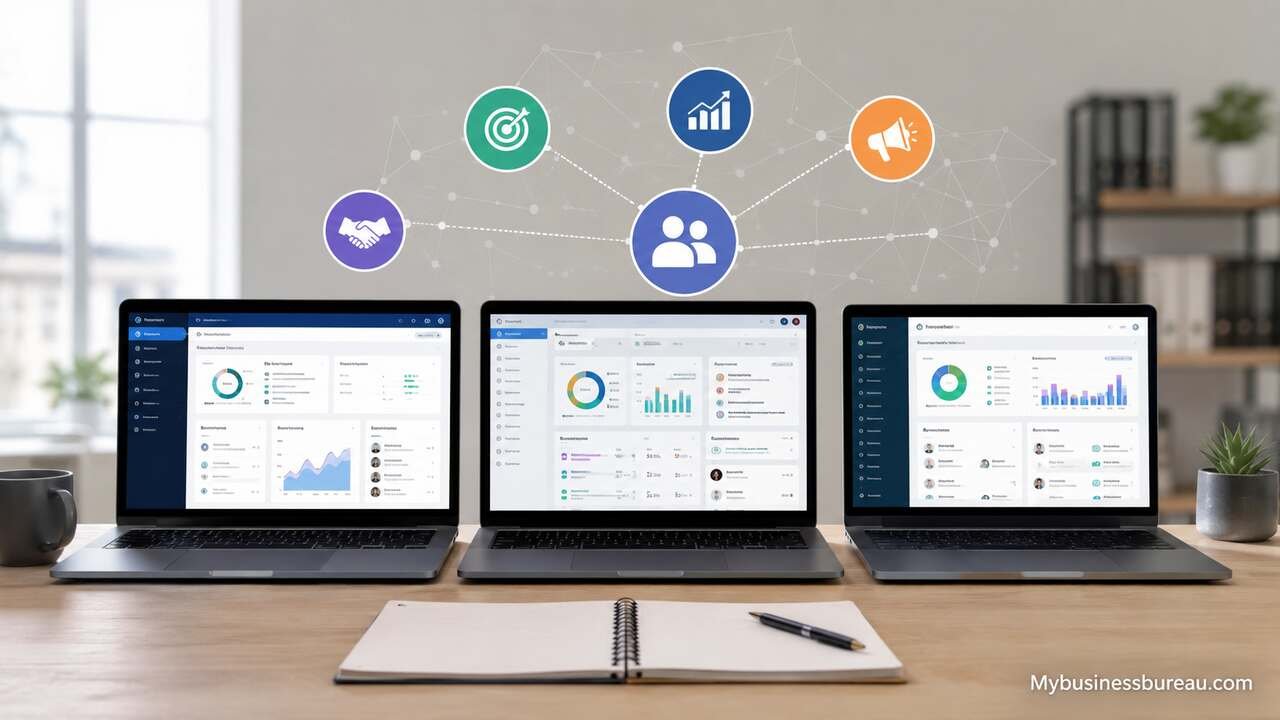
Customer relationship management platforms continue to shape how businesses manage leads, automate communication, improve retention, and increase revenue. In 2026, CRM software is no longer limited to storing contact information. Modern systems combine artificial intelligence, workflow automation, predictive analytics, omnichannel communication, and customer lifecycle management into a unified operational hub.
Businesses now rely on CRM platforms to centralize customer data, streamline collaboration between departments, and create personalized customer experiences. Small businesses seek affordability and ease of use, while enterprise organizations demand scalability, advanced automation, deep reporting, and extensive integrations. The increasing adoption of remote work, cloud infrastructure, and AI-driven sales forecasting has also transformed the CRM market.
This CRM software comparison for 2026 explains the leading platforms, their strengths, pricing models, automation features, integrations, and ideal use cases. The guide also compares deployment options, industry suitability, AI capabilities, reporting systems, and customer support features to help organizations choose the right CRM platform for long-term growth.
Identify Business Goals Before Selecting CRM Software
A CRM platform should match the operational objectives of the business rather than simply offering the largest number of features. Companies that prioritize sales automation may require lead scoring, pipeline forecasting, and AI-driven recommendations. Businesses focused on customer service may need ticketing systems, omnichannel support, and self-service knowledge bases.
The evaluation process begins with identifying how customer data flows across departments. Sales teams require lead tracking and forecasting tools. Marketing teams depend on segmentation, email automation, and campaign analytics. Customer support teams need case management and communication tracking. Executive teams rely on dashboards and performance metrics.
Organizations should also consider future scalability. A CRM solution that supports five users today may become restrictive when the business expands to multiple teams, regions, or product categories. Cloud scalability, API access, automation capacity, and integration flexibility become increasingly important as operations grow.
Compare Core CRM Features Across Leading Platforms
Modern CRM systems share foundational features, but the depth and sophistication of those features vary considerably between vendors. Contact management remains the foundation, allowing businesses to organize customer records, interactions, notes, tasks, and communication history.
Pipeline management has evolved into highly visual sales tracking environments that include forecasting tools, AI-generated recommendations, and automated deal progression. Marketing automation now includes customer segmentation, personalized campaigns, behavioral triggers, and multi-channel communication.
Customer support capabilities have also become central to CRM ecosystems. Many providers now include live chat, ticket management, chatbot automation, social media monitoring, and customer satisfaction tracking directly within their platforms.
| CRM Feature | Small Business Importance | Enterprise Importance | Typical Availability |
| Contact Management | High | High | Standard |
| Sales Pipeline Tracking | High | High | Standard |
| Workflow Automation | Medium | High | Advanced Plans |
| AI Forecasting | Medium | High | Premium Plans |
| Marketing Automation | High | High | Common |
| Omnichannel Support | Medium | High | Enterprise Tier |
| Mobile Access | High | High | Standard |
| API Integration | Medium | High | Advanced Plans |
| Custom Dashboards | Medium | High | Common |
| Customer Service Tools | Medium | High | Increasingly Common |
The most competitive CRM platforms in 2026 focus on reducing manual work through automation while improving decision-making through AI-powered analytics.
Evaluate Salesforce for Enterprise-Level CRM Management
Salesforce remains one of the most comprehensive CRM ecosystems available in 2026. The platform supports enterprise sales, marketing automation, customer support, analytics, AI forecasting, and workflow orchestration through a highly customizable infrastructure.
Salesforce Sales Cloud enables organizations to manage opportunities, accounts, contacts, forecasts, and pipelines with extensive customization. Einstein AI delivers predictive scoring, next-step recommendations, and automated insights that improve sales efficiency. Service Cloud provides customer support capabilities including ticketing, live chat, AI assistants, and self-service portals.
The platform also benefits from a massive integration ecosystem through AppExchange. Businesses can connect accounting systems, marketing platforms, ERP tools, eCommerce systems, communication apps, and analytics tools into a centralized operational environment. However, implementation complexity and licensing costs can become significant for smaller organizations.
Salesforce is particularly effective for:
- Large enterprises with complex workflows
- Organizations requiring deep customization
- Multi-department operations
- Businesses managing global sales teams
- Companies requiring advanced reporting and AI forecasting
The primary drawbacks involve implementation time, administrative overhead, and premium pricing.
Analyze HubSpot CRM for Marketing and Ease of Use
HubSpot CRM continues to dominate among growing businesses that prioritize usability, inbound marketing, and integrated automation. The platform combines sales, marketing, customer support, content management, and operations tools within a unified interface.
HubSpot’s user experience remains one of its strongest advantages. Teams can quickly adopt the system without extensive technical training. Contact timelines consolidate emails, meetings, calls, website activity, and support interactions into a single customer record.
Marketing Hub offers email campaigns, lead nurturing workflows, landing pages, SEO recommendations, social media scheduling, and analytics dashboards. Sales Hub includes deal pipelines, meeting scheduling, automation sequences, and forecasting tools. AI assistants help generate email copy, summarize interactions, and automate repetitive tasks.
HubSpot is particularly suitable for:
- Small and medium-sized businesses
- Marketing-driven organizations
- B2B companies focused on inbound leads
- Teams seeking rapid implementation
- Businesses prioritizing ease of adoption
Pricing increases significantly as contacts and advanced automation features scale upward. Companies with very large databases may eventually encounter higher operational costs compared to alternative systems.
Review Microsoft Dynamics 365 for Integrated Business Operations


Microsoft Dynamics 365 combines CRM and ERP functionality into a deeply integrated business ecosystem. Organizations already using Microsoft products such as Teams, Outlook, Azure, and Power BI often benefit from seamless operational continuity.
Dynamics 365 Sales includes pipeline tracking, relationship intelligence, forecasting, and AI-driven recommendations. Customer Service provides case management, virtual agents, omnichannel support, and service analytics. Marketing tools support customer journeys, event management, segmentation, and campaign automation.
The strongest advantage of Dynamics 365 lies in enterprise integration. Data flows naturally between productivity tools, communication platforms, analytics systems, and financial management software. Power Platform tools also allow organizations to build custom workflows, dashboards, and applications without extensive coding.
Dynamics 365 works best for:
- Enterprise organizations using Microsoft ecosystems
- Companies requiring ERP and CRM alignment
- Businesses managing large operational datasets
- Organizations seeking advanced analytics
- Teams requiring enterprise security and compliance
The learning curve can be steep for smaller teams, particularly when advanced customization is involved.
Compare Zoho CRM for Affordability and Flexibility
Zoho CRM has become one of the strongest value-oriented CRM solutions in the market. The platform delivers automation, analytics, omnichannel communication, AI assistance, and customization at pricing levels accessible to small and medium-sized businesses.
Zoho’s ecosystem extends beyond CRM into accounting, HR, email marketing, project management, inventory control, and customer support. This integrated approach allows organizations to consolidate operational tools within a unified environment.
Zia AI assists users with forecasting, anomaly detection, workflow suggestions, and conversational interaction. Workflow automation enables businesses to automate lead assignments, notifications, follow-ups, and customer journeys.
Zoho CRM is highly effective for:
- Budget-conscious businesses
- Startups requiring scalability
- Small and medium-sized enterprises
- Organizations seeking broad software ecosystems
- Teams requiring customization without enterprise pricing
The interface occasionally feels less polished compared to premium competitors, but feature depth remains impressive relative to cost.
Assess Pipedrive for Sales Pipeline Management
Pipedrive focuses heavily on sales pipeline visibility and deal progression. The platform emphasizes simplicity, visual organization, and sales productivity rather than broad enterprise functionality.
Sales teams can move deals through customizable pipeline stages using drag-and-drop interfaces. Activity reminders, workflow automation, email synchronization, and AI sales assistants help representatives maintain momentum across opportunities.
Pipedrive also includes lead capture forms, chatbot tools, web visitor tracking, and sales reporting dashboards. Integrations with communication platforms and marketing tools extend operational flexibility.
The platform works especially well for:
- Sales-focused teams
- Small businesses
- Agencies and consultancies
- Companies prioritizing pipeline visibility
- Teams requiring rapid onboarding
Organizations needing advanced customer service management or enterprise analytics may eventually require more comprehensive ecosystems.
Examine Freshsales for AI-Driven Customer Engagement
Freshsales, part of the Freshworks ecosystem, combines CRM functionality with AI-driven communication and customer engagement tools. The platform emphasizes usability, automation, and integrated communication channels.
Freddy AI provides lead scoring, predictive insights, activity recommendations, and conversation analysis. Freshsales supports email, phone, chat, SMS, and customer engagement tracking from a centralized interface.
Workflow automation allows businesses to assign leads, trigger communications, schedule follow-ups, and automate repetitive tasks. Reporting dashboards provide visibility into sales performance, customer engagement, and team productivity.
Freshsales is suitable for:
- Service-oriented businesses
- Mid-sized organizations
- Teams requiring communication tracking
- Companies adopting AI-assisted workflows
- Businesses seeking unified sales and support systems
While highly capable, the ecosystem may not offer the same enterprise-level customization depth as Salesforce or Microsoft Dynamics.
Compare AI Capabilities in CRM Software for 2026
Artificial intelligence now plays a central role in CRM performance. AI assists organizations by automating repetitive work, identifying patterns, forecasting outcomes, and improving customer engagement.
Sales forecasting systems analyze historical performance, customer interactions, and pipeline behavior to estimate future revenue. Predictive lead scoring ranks prospects according to conversion probability. AI-generated email suggestions accelerate communication workflows.
Conversational AI has also become widespread. Chatbots manage customer inquiries, qualify leads, route support tickets, and assist internal teams with data retrieval. Generative AI tools create sales summaries, customer insights, and personalized outreach recommendations.
| CRM Platform | AI Assistant | Predictive Forecasting | AI Content Generation | Conversational AI |
| Salesforce | Einstein AI | Yes | Yes | Yes |
| HubSpot | HubSpot AI | Yes | Yes | Yes |
| Microsoft Dynamics 365 | Copilot | Yes | Yes | Yes |
| Zoho CRM | Zia | Yes | Limited | Yes |
| Freshsales | Freddy AI | Yes | Limited | Yes |
| Pipedrive | Sales Assistant | Basic | Limited | Limited |
Organizations evaluating CRM software in 2026 should consider how AI tools integrate into daily operations rather than focusing solely on marketing claims.
Measure CRM Integration and Ecosystem Compatibility
CRM systems rarely operate independently. Businesses rely on integrations to synchronize accounting software, email platforms, marketing systems, communication tools, ERP environments, and eCommerce platforms.
Strong integration ecosystems reduce data silos and improve operational efficiency. Native integrations typically provide better stability and lower maintenance requirements than custom-built connectors. API availability becomes increasingly important for organizations managing specialized workflows.
Salesforce AppExchange offers one of the largest integration marketplaces available. HubSpot integrates effectively with marketing and content management platforms. Microsoft Dynamics excels within Microsoft environments, while Zoho provides extensive compatibility across its business application suite.
Businesses should evaluate:
- Native integrations
- API access limitations
- Third-party connector support
- Data synchronization reliability
- Workflow automation compatibility
- Security and compliance standards
Integration flexibility directly impacts long-term scalability and operational continuity.
Compare CRM Pricing Structures and Total Ownership Costs

CRM pricing models vary significantly between vendors. Subscription fees often increase according to user count, feature access, storage requirements, and automation limits.
Many businesses initially underestimate implementation and operational expenses. Costs may include onboarding, customization, data migration, training, consulting, integration development, and administrative management.
Some CRM providers offer affordable entry-level plans but increase costs substantially as businesses expand contact databases or automation usage. Enterprise systems may require annual contracts, premium support plans, and specialized implementation services.
| CRM Platform | Entry Pricing | Enterprise Scalability | Free Plan | Best Value Segment |
| Salesforce | Moderate to High | Excellent | Limited Trial | Enterprise |
| HubSpot | Low Entry, High Scaling | Strong | Yes | Growing SMBs |
| Microsoft Dynamics 365 | Moderate | Excellent | No | Enterprise |
| Zoho CRM | Affordable | Good | Yes | SMBs |
| Pipedrive | Affordable | Moderate | No | Sales Teams |
| Freshsales | Affordable | Good | Limited | Mid-Sized Businesses |
Organizations should calculate total ownership cost across multiple years rather than evaluating monthly subscription prices alone.
Assess CRM Automation Features for Operational Efficiency
Workflow automation reduces repetitive work and improves consistency across customer interactions. Automated systems can assign leads, trigger emails, schedule tasks, update records, and notify team members based on predefined conditions.
Advanced CRM platforms support multi-step workflows that span departments and communication channels. Marketing automation sequences nurture leads based on behavioral triggers. Customer service automation routes tickets to appropriate agents. Sales automation accelerates follow-up processes.
Automation also improves reporting accuracy because systems update records consistently without depending entirely on manual data entry. AI-enhanced automation now adapts workflows dynamically according to customer behavior and historical performance patterns.
Businesses should compare:
- Workflow builder flexibility
- Trigger complexity
- Automation limits
- Cross-department automation
- AI-assisted workflows
- Approval processes
- Error handling systems
The strongest automation systems reduce operational friction while maintaining personalization and responsiveness.
Evaluate CRM Reporting and Analytics Capabilities
Data visibility remains one of the most important advantages of CRM software. Reporting dashboards allow businesses to monitor pipeline performance, customer engagement, sales velocity, marketing effectiveness, and support efficiency.
Advanced analytics systems combine historical trends, predictive modeling, and real-time visualization. Executive dashboards help leadership identify revenue opportunities, operational bottlenecks, and customer retention risks.
Sales managers often require forecasting accuracy, conversion tracking, and representative performance analysis. Marketing teams rely on attribution reporting, campaign performance metrics, and customer segmentation insights. Customer support leaders analyze ticket resolution times, satisfaction scores, and service efficiency.
Organizations should examine:
- Dashboard customization
- Real-time reporting
- Predictive analytics
- Cross-channel reporting
- Export capabilities
- Data visualization quality
- AI-driven insights
The ability to transform customer data into actionable business intelligence significantly influences CRM value.
Compare CRM Deployment Models and Security Standards
Cloud-based CRM systems dominate the market because they provide scalability, remote accessibility, automatic updates, and reduced infrastructure management. However, some organizations still require hybrid or on-premise deployment models for regulatory or operational reasons.
Security standards have become increasingly important as CRM systems store customer records, financial details, communication histories, and proprietary operational data. Vendors now prioritize encryption, access controls, compliance certifications, and audit logging.
Enterprise organizations often require:
- Role-based permissions
- Single sign-on support
- Multi-factor authentication
- Data residency controls
- Compliance certifications
- Activity monitoring
- Backup and recovery systems
Microsoft Dynamics and Salesforce generally provide the strongest enterprise-grade compliance frameworks, while HubSpot and Zoho balance accessibility with security functionality for broader business audiences.
Match CRM Platforms to Specific Industries
Different industries prioritize different CRM capabilities. Real estate agencies depend heavily on lead nurturing and communication tracking. Healthcare organizations require compliance-oriented patient management systems. eCommerce businesses focus on customer journeys, personalization, and purchase tracking.
Financial services firms often prioritize security, compliance reporting, and relationship management. Manufacturing companies may require integration with ERP systems and supply chain tools. SaaS companies depend on subscription analytics, onboarding workflows, and customer success management.
| Industry | Recommended CRM Focus | Strong Platform Matches |
| Real Estate | Lead Management | HubSpot, Zoho, Pipedrive |
| Healthcare | Compliance and Service | Salesforce, Microsoft Dynamics |
| eCommerce | Customer Journey Tracking | HubSpot, Salesforce |
| Financial Services | Security and Analytics | Microsoft Dynamics, Salesforce |
| SaaS | Subscription Lifecycle | HubSpot, Salesforce |
| Manufacturing | ERP Integration | Microsoft Dynamics |
| Agencies | Pipeline Visibility | Pipedrive, HubSpot |
Industry alignment improves implementation success because workflows, reporting structures, and automation systems better reflect operational realities.
Prepare CRM Migration and Implementation Strategies
CRM implementation success depends heavily on planning and data preparation. Many projects fail because organizations underestimate migration complexity or neglect user adoption.
Businesses should begin by auditing existing customer data, communication histories, spreadsheets, and operational processes. Duplicate records, inconsistent formatting, and incomplete information should be resolved before migration.
Implementation planning should also include:
- User training programs
- Workflow mapping
- Permission structures
- Integration testing
- Automation setup
- Reporting configuration
- Adoption monitoring
Phased rollouts often reduce disruption by allowing teams to adapt gradually while administrators identify technical issues early.
Executive sponsorship also plays a major role in successful CRM adoption. Teams are more likely to embrace new systems when leadership reinforces operational expectations and demonstrates long-term commitment.
Measure Customer Support and Vendor Reliability
CRM vendors differ significantly in customer support quality, onboarding resources, and long-term reliability. Businesses relying heavily on CRM systems require responsive technical support and stable platform performance.
Support channels may include live chat, phone assistance, email ticketing, onboarding specialists, community forums, and dedicated account managers. Enterprise clients often receive priority support and implementation consultation.
Vendor reliability should also include:
- Platform uptime history
- Product roadmap consistency
- Frequency of updates
- Security response procedures
- Documentation quality
- Training resources
- Community ecosystem strength
Salesforce and Microsoft Dynamics provide extensive enterprise support infrastructures. HubSpot excels in educational content and onboarding simplicity. Zoho delivers strong value-oriented support, while Pipedrive focuses on usability and responsiveness.
Compare Mobile CRM Functionality for Remote Teams
Remote work and mobile productivity continue to influence CRM development in 2026. Sales representatives, service agents, and executives increasingly rely on mobile applications for customer interaction management.
Mobile CRM applications now support contact management, pipeline updates, communication tracking, task automation, meeting scheduling, and reporting dashboards. Offline access has also become important for field teams operating in areas with inconsistent connectivity.
AI-powered mobile features now include voice transcription, meeting summaries, smart reminders, and predictive recommendations. Businesses should evaluate application responsiveness, interface design, synchronization reliability, and feature parity between desktop and mobile environments.
Organizations with distributed teams benefit significantly from strong mobile CRM functionality because operational continuity improves regardless of employee location.
Choose the Best CRM Software Based on Business Size
Small businesses often prioritize affordability, simplicity, and rapid onboarding. HubSpot, Zoho CRM, and Pipedrive remain strong options because they balance usability with operational flexibility.
Mid-sized organizations frequently require stronger automation, reporting, and integration capabilities. Freshsales, HubSpot, and Zoho provide scalable solutions without the complexity associated with large enterprise systems.
Enterprise organizations typically prioritize customization, governance, security, analytics, and scalability. Salesforce and Microsoft Dynamics 365 dominate this category because they support extensive operational complexity and cross-department integration.
The ideal CRM platform depends less on company size alone and more on workflow complexity, growth objectives, data management requirements, and integration needs.
Monitor Emerging CRM Trends Shaping 2026
Several trends continue reshaping CRM technology in 2026. AI-driven personalization has become standard across sales and marketing workflows. Predictive analytics increasingly guide revenue forecasting and customer retention strategies.
Unified customer data platforms now combine information from websites, social media, email campaigns, transactions, support systems, and communication tools into centralized profiles. Low-code customization tools allow businesses to adapt workflows without extensive development resources.
Voice-enabled CRM interaction is also becoming more common. Representatives can update records, generate reports, and retrieve customer insights through conversational commands. Privacy regulations continue influencing data governance and consent management capabilities.
Hyperautomation represents another major development. Businesses increasingly connect CRM workflows with finance systems, supply chain tools, HR platforms, and AI agents to reduce manual intervention across operational processes.
CRM vendors that successfully combine automation, usability, AI intelligence, and scalability are likely to dominate future market adoption.
Conclusion
CRM software comparison for 2026 involves more than reviewing contact management features or monthly pricing. Businesses must evaluate scalability, automation, AI capabilities, integrations, reporting systems, customer support, security standards, and long-term operational alignment.
Salesforce remains a dominant enterprise solution with extensive customization and AI functionality. HubSpot excels in usability and marketing integration for growing businesses. Microsoft Dynamics 365 delivers deep enterprise integration within Microsoft ecosystems. Zoho CRM provides exceptional affordability and flexibility, while Pipedrive focuses on sales pipeline visibility and Freshsales emphasizes AI-driven engagement.
The best CRM platform depends on organizational priorities, workflow complexity, growth expectations, and operational strategy. Businesses that carefully align CRM capabilities with customer management objectives will improve productivity, strengthen customer relationships, and create sustainable competitive advantages in 2026 and beyond.
Visit mybusinessbureau.com for expert business insights and smart growth strategies.
FAQ’s
HubSpot CRM, Zoho CRM, and Pipedrive are among the strongest options for small businesses because they provide affordable pricing, user-friendly interfaces, automation features, and scalable functionality.
Salesforce Einstein AI and Microsoft Copilot currently provide some of the most advanced AI capabilities, including predictive forecasting, automated recommendations, conversational AI, and workflow intelligence.
Cloud CRM systems generally provide better scalability, lower infrastructure costs, remote accessibility, and automatic updates. On-premise systems may still benefit organizations with strict regulatory or data residency requirements.
CRM pricing varies widely depending on features, user count, automation limits, and support levels. Entry-level plans may start around $15 to $30 per user monthly, while enterprise platforms can cost hundreds of dollars per user each month.
Microsoft Dynamics 365 offers the strongest integration with Microsoft products such as Teams, Outlook, Azure, Excel, and Power BI.
Implementation timelines vary according to business size and customization requirements. Small business deployments may take a few weeks, while enterprise implementations can require several months.


