







Introduction
LinkedIn Business Manager is a centralized platform that helps organizations manage advertising accounts, Pages, employees, agencies, and business assets from a single dashboard. Whether you are a marketing agency handling multiple clients, a growing business expanding its advertising efforts, or a large enterprise coordinating teams across departments, Business Manager simplifies access management and improves collaboration.
Managing digital assets across several users can become difficult without a structured system. Different employees need different permissions, agencies require limited access, and multiple advertising accounts often need centralized oversight. LinkedIn Business Manager solves these challenges by providing secure administration, role-based permissions, asset sharing, and streamlined account management.
This guide explains how to set up LinkedIn Business Manager, organize your business assets, assign team roles, connect advertising accounts, collaborate with agencies, maintain security, and optimize your workflow for long-term growth.
Set Up LinkedIn Business Manager
Creating a LinkedIn Business Manager account is the first step toward organizing your company’s marketing operations. The setup process only takes a few minutes and provides immediate access to centralized asset management.
Start by signing in with your LinkedIn profile. Enter your business information, create your Business Manager account, and verify ownership if required. Using your company email address improves account credibility and simplifies future administration.
During setup, decide who will become the initial administrators. Selecting experienced team members helps establish clear governance from the beginning. Administrators can later invite additional employees, assign permissions, and organize business resources.
Basic Setup Checklist
| Requirement | Purpose |
| LinkedIn account | Creates Business Manager |
| Business name | Identifies organization |
| Company email | Verifies ownership |
| Business administrator | Manages assets |
| Company information | Supports account management |
Organize Business Assets
A well-organized Business Manager keeps marketing resources easy to locate and maintain. Assets include LinkedIn Pages, advertising accounts, Matched Audiences, Insight Tags, and partner access.
Instead of managing each asset separately, Business Manager groups everything under one organization. This reduces administrative work while improving visibility across departments.
As businesses grow, creating a consistent naming convention becomes increasingly valuable. Organized assets reduce confusion, improve reporting accuracy, and simplify onboarding for new employees.
Common assets include:
- LinkedIn Company Pages
- Advertising accounts
- Insight Tags
- Audience lists
- Conversion tracking
- Agency partnerships
- Campaign resources
Connect LinkedIn Company Pages

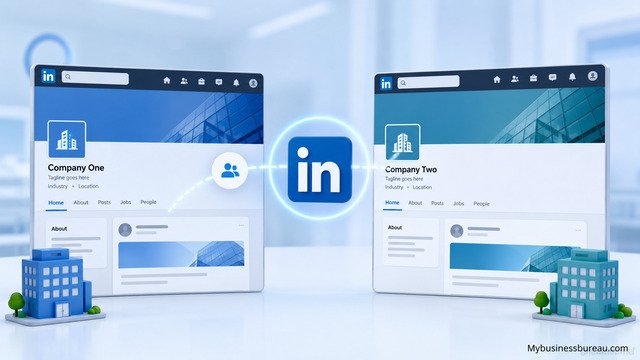
Adding your LinkedIn Company Page enables centralized management of administrators and marketing activities. This connection also simplifies advertising, sponsored content, and audience targeting.
After connecting your Page, assign appropriate permissions to employees. Marketing managers may require full editing capabilities, while executives might only need reporting access.
Organizations operating multiple brands can connect several Pages under one Business Manager, making administration significantly easier than managing each Page independently.
Typical Page Roles
| Role | Main Responsibility |
| Super Admin | Full control |
| Content Admin | Publish content |
| Analyst | View analytics |
| Curator | Recommend content |
| Recruiter | Hiring activities |
Add Advertising Accounts
Advertising accounts are among the most valuable assets within Business Manager. Connecting them allows centralized campaign management, billing oversight, audience sharing, and reporting.
Businesses can assign advertising accounts to departments or agencies without sharing login credentials. This improves security while maintaining collaboration.
Large organizations often operate multiple advertising accounts by product line, geographic region, or client. Business Manager keeps these accounts organized under one administrative structure.
Benefits include:
- Central billing oversight
- Campaign organization
- Shared audiences
- Secure access
- Easier reporting
- Better governance
Assign User Roles and Permissions
Permission management is one of the strongest features of LinkedIn Business Manager. Instead of giving everyone unrestricted access, administrators assign roles according to responsibilities.
Role-based access minimizes accidental changes while protecting sensitive advertising information. Employees only receive permissions necessary to complete their work.
Regularly reviewing permissions helps maintain account security, especially after promotions, department transfers, or employee departures.
Typical permission categories include:
- Business administrators
- Asset administrators
- Campaign managers
- Analysts
- Billing managers
- Partner users
Invite Employees and Teams
Inviting employees into Business Manager creates a collaborative environment without sacrificing security. Invitations are sent directly through LinkedIn and can be accepted within minutes.
Departments such as marketing, sales, recruiting, communications, and analytics can all operate within the same Business Manager while maintaining separate responsibilities.
As organizations expand, creating standardized onboarding procedures ensures every new employee receives appropriate access from day one.
Collaborate with Marketing Agencies
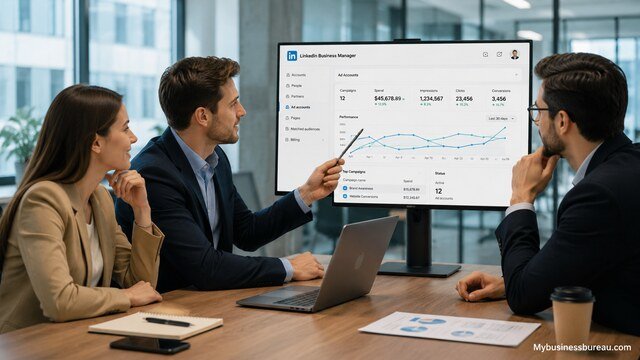
Many businesses rely on external agencies to manage advertising campaigns. LinkedIn Business Manager makes collaboration straightforward by granting agencies secure access without exposing sensitive login credentials.
Rather than transferring account ownership, businesses simply assign permissions to agency personnel. This approach protects company assets while allowing agencies to build, optimize, and report on campaigns.
Agency access can also be revoked immediately after a contract ends, reducing long-term security risks.
Configure Insight Tag and Conversion Tracking
The LinkedIn Insight Tag helps businesses measure campaign performance and understand visitor behavior on their websites. Installing this tracking code allows advertisers to monitor conversions, build retargeting audiences, and optimize campaigns.
Business Manager centralizes Insight Tag management across multiple advertising accounts, making implementation much easier.
Organizations should regularly verify tag functionality to ensure accurate reporting and audience creation.
Key tracking capabilities include:
- Website visits
- Lead generation
- Form submissions
- Purchases
- Event tracking
- Audience building
Build Matched Audiences
Matched Audiences allow advertisers to target users based on website visits, customer lists, company names, or professional characteristics. Business Manager centralizes audience management so multiple campaigns can use the same audience segments.
Well-maintained audiences improve campaign efficiency and reduce wasted advertising spend.
Businesses should periodically refresh customer lists and review audience performance to maintain targeting accuracy.
Monitor Campaign Performance
Business Manager simplifies campaign analysis by keeping advertising assets together. Administrators can review campaign metrics, identify trends, and compare advertising performance across accounts.
Performance monitoring should focus on meaningful business outcomes rather than vanity metrics. Lead quality, conversion rate, cost per acquisition, and return on investment often provide better insight than clicks alone.
Routine reporting enables faster optimization and more informed budgeting decisions.
Important metrics include:
| Metric | Purpose |
| Impressions | Visibility |
| Clicks | Engagement |
| CTR | Ad effectiveness |
| CPC | Advertising cost |
| Conversions | Business outcomes |
| Cost per Lead | Lead efficiency |
| ROAS | Revenue performance |
Strengthen Business Security
Business Manager includes several security features that help protect valuable business assets. Administrators should encourage employees to enable two-factor authentication and use strong passwords.
Regular permission reviews reduce unnecessary access while minimizing security vulnerabilities.
Organizations should also establish internal governance policies covering administrator responsibilities, account ownership, and employee offboarding procedures.
Security best practices include:
- Enable two-factor authentication
- Review permissions quarterly
- Remove inactive users
- Limit administrator accounts
- Verify agencies regularly
- Monitor login activity
Scale Multi-Brand Operations
Businesses managing several brands often struggle with fragmented marketing operations. Business Manager centralizes administration while keeping each brand’s advertising accounts and Pages separate.
Separate assets improve reporting accuracy while allowing leadership teams to oversee company-wide marketing performance.
As organizations expand internationally, Business Manager supports regional teams through structured permission management and asset organization.
Improve Internal Collaboration
Marketing success depends on coordination between multiple departments. Business Manager encourages collaboration by allowing different teams to work within shared infrastructure while maintaining controlled access.
Marketing creates campaigns, sales reviews leads, executives monitor performance, and analysts evaluate data without interfering with one another’s responsibilities.
This structured collaboration improves operational efficiency and reduces administrative complexity.
Audit and Maintain Business Assets
Regular audits ensure Business Manager remains organized and secure. Administrators should verify user access, remove outdated assets, archive unused advertising accounts, and confirm ownership of active resources.
Routine maintenance also improves reporting consistency and simplifies future expansion.
Quarterly reviews help businesses identify duplicate assets, inactive users, and outdated configurations before they become larger problems.
Recommended audit checklist:
| Audit Area | Frequency |
| User permissions | Quarterly |
| Advertising accounts | Monthly |
| Company Pages | Quarterly |
| Insight Tag | Monthly |
| Agency access | Quarterly |
| Audience lists | Monthly |
| Billing review | Monthly |
Expand Marketing Operations Efficiently
As advertising budgets increase, Business Manager becomes increasingly valuable. Centralized administration reduces operational overhead while improving governance, collaboration, and reporting.
Growing companies benefit from standardized workflows, consistent permission structures, and simplified asset management across departments and regions.
Investing time in proper Business Manager organization today creates a scalable foundation that supports future marketing growth.
Conclusion
LinkedIn Business Manager provides businesses with a centralized solution for managing advertising accounts, Company Pages, audiences, Insight Tags, users, and external partners. By organizing assets under one administrative platform, companies improve security, streamline collaboration, and simplify campaign management.
Whether your organization manages one LinkedIn Page or dozens of global advertising accounts, implementing clear permission structures, maintaining organized assets, monitoring performance regularly, and conducting periodic audits will help maximize efficiency and support long-term marketing success.
Visit mybusinessbureau.com for expert business insights and smart growth strategies.
FAQ’s
LinkedIn Business Manager is available at no additional cost. Businesses only pay for advertising campaigns and related marketing activities.
It is ideal for marketing teams, agencies, enterprises, recruiters, and businesses that manage multiple LinkedIn Pages or advertising accounts.
Yes. Multiple administrators can be assigned, allowing organizations to distribute management responsibilities while maintaining secure access controls.
Yes. Business Manager allows businesses to grant permission-based access, eliminating the need to share login credentials.
Yes. Organizations can manage multiple LinkedIn Company Pages from a single Business Manager account while assigning separate permissions for each Page.
Most organizations benefit from reviewing permissions at least once every quarter and immediately after employees leave the company or change roles.


