







Amazon Business customer service helps organizations resolve issues involving orders, deliveries, payments, returns, refunds, account access, and administrative settings. Businesses can access support through their Amazon Business account, where the appropriate help options depend on the specific problem.
Sign In to Your Amazon Business Account

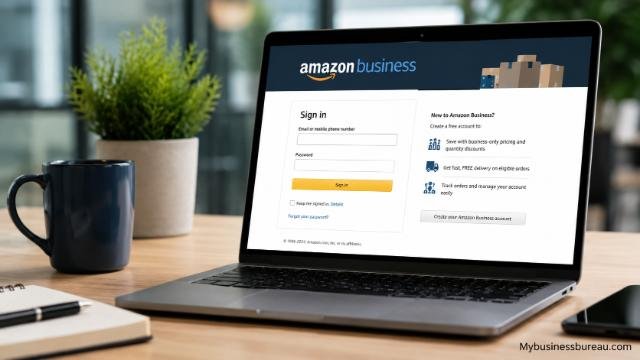
Start by signing in to the Amazon Business account connected with the order, organization, or administrative issue you need to resolve. Using the correct account allows Amazon’s support experience to associate your request with relevant orders and business-account information. The official Amazon Business login page provides access to existing accounts.
Use the email address associated with your organization rather than signing into an unrelated personal Amazon account. This distinction becomes particularly important when an employee has access to both personal and business purchasing profiles. Amazon Business supports organizational purchasing features that do not necessarily appear in a regular consumer account.
Administrators should also determine whether the problem affects an individual buyer or the organization’s wider account. A missing order, for example, is primarily a transactional issue, while user permissions, purchasing policies, account consolidation, or system configuration may require administrator-level troubleshooting.
Open the Amazon Business Help and Customer Service Section
After signing in, navigate to the Help and Customer Service area available through Amazon Business. Amazon’s main Business website includes “Help and customer service” among its customer-support resources, making it the preferred route when you need assistance rather than information about purchasing Amazon Business services.
The support flow may ask you to identify an order or select the category that most closely describes your problem. Follow the prompts as specifically as possible. Selecting an accurate category can help route the request toward the appropriate support process and reduce the amount of information you need to repeat.
Amazon’s interface can change over time, so exact button names and page layouts should not be treated as permanent. Amazon itself notes in its Business documentation that features, terminology, and website layouts can change. For that reason, starting from the official account or Help area is safer than relying on an old customer-service phone number or third-party contact page.
| Support need | Recommended starting point | Information to prepare |
| Order problem | Order details or Customer Service | Order number, product, issue |
| Late delivery | Order tracking/support | Order number, tracking details |
| Return | Relevant order | Item and return reason |
| Refund | Order/refund support | Order number, return details |
| Account access | Account support | Business email and organization |
| Administrator problem | Business account support | Account and configuration details |
| Prime Business | Membership/account support | Membership and account details |
| Procurement integration | Administrator/integration support | Platform and technical details |
Select the Correct Amazon Business Customer Service Channel
Choose the support channel offered for your specific issue after entering the customer-service workflow. Depending on the account, country, issue, and current availability, Amazon may present different ways to obtain assistance. Instead of relying on a phone number found on an unofficial website, use the contact options displayed inside Amazon’s authenticated support environment.
Amazon Business documentation specifically refers customers to its customer service team for transactional questions. These include ordering, product quantity availability, shipment speed, delivery tracking, returns, and refunds. The same documentation says the team can provide administrator support, including feature configuration and system integration assistance.
Amazon Business also provides an AI-powered Business Assistant for questions about features and programs. However, Amazon distinguishes that informational experience from human customer service and states that its Customer Service team remains available when additional support is required.
Use this general routing approach:
| Problem | Appropriate support path |
| Package not received | Customer Service/order support |
| Incorrect or damaged product | Customer Service/order support |
| Return or refund | Customer Service/order support |
| Quantity availability | Amazon Business Customer Service |
| Account configuration | Administrator support |
| User access | Account/administrator support |
| Procurement integration | Administrator or integration support |
| Learning about Amazon Business | Sales or product information |
| Enterprise implementation | Account executive/Professional Services |
| Prime Business account issue | Account/customer support |
Gather Your Order and Account Information
Collect the relevant information before contacting Amazon Business customer service. For an order-related problem, this normally includes the order number, item involved, delivery or tracking information, date of purchase, and a concise explanation of the problem. Providing accurate information helps distinguish one transaction from other purchases made through the organization.
For account-related issues, prepare the email address associated with the Amazon Business account, your organization name, your role if relevant, and a description of the affected feature. An administrator dealing with a user-access problem should identify the affected user and explain what the user can or cannot access.
For technical problems, record the workflow that produced the error. Include the feature being used, the stage where the problem occurs, and the exact error message when possible. Screenshots can also be useful when the support interface permits attachments, particularly for configuration and integration issues.
Contact Amazon Business Customer Service for Order Problems

Use Amazon Business customer service when an existing business purchase develops a transactional problem. Amazon’s official documentation identifies ordering, quantity availability, shipment speed, delivery tracking, returns, and refunds as issues handled by its Business customer service team.
When contacting support, explain the desired resolution rather than only describing the problem. For example, if a shipment has not arrived, identify the order, expected delivery status, and whether you need tracking clarification, replacement assistance, or another available resolution. Clear requests help the support agent understand the business impact.
Large or time-sensitive business purchases can require additional detail. If only part of a multi-unit order arrived, specify the quantity ordered and quantity received. If several shipments belong to the same purchase, identify which shipment has the problem rather than treating the entire order as missing.
Resolve Delivery and Tracking Issues
Review the order’s current tracking information before contacting support about a delivery. Check whether the shipment is still in transit, marked delivered, delayed, divided into multiple packages, or subject to another delivery status. This information gives customer service a clearer starting point.
Amazon Business documentation specifically lists shipment speed and delivery tracking among the transactional areas handled by customer service. If the tracking information does not explain what happened, contact support through the relevant order so that the transaction can be investigated.
Businesses should also check internal receiving procedures. A package marked delivered may have been accepted by reception, a mailroom, warehouse staff, another employee, or another authorized receiving location. Confirming internally before escalating the case can prevent unnecessary replacement or refund requests.
Request Returns and Refund Assistance
Start a return from the relevant Amazon Business order whenever the available self-service options address your situation. The exact eligibility and available resolution depend on factors such as the item, seller, order circumstances, and applicable policies.
If a return cannot be completed through the available workflow, contact customer service and provide the order number, product, quantity, and reason for the request. Amazon Business documentation confirms that returns and refunds fall within the transactional areas its customer service team supports.
Keep return documentation until the issue has been completed. For organizational purchasing, records may also be needed for internal reconciliation, expense reporting, or procurement administration. If several units are involved, verify that the return quantity corresponds with the refund or replacement being processed.
Fix Amazon Business Account Access Problems
Verify that you are using the correct Amazon Business credentials before escalating an account-access problem. Employees sometimes use different email addresses for personal Amazon shopping and organizational purchasing, which can create confusion about which account contains an order or business feature.
Amazon recommends using a work email or an email different from a personal account when creating a new Amazon Business account. When converting a personal account into a business account, Amazon indicates that the existing email can be used.
Organizational controls can also affect account behavior. Amazon Business provides administrators with tools for controlling users and organizational accounts. Its Account Authority capabilities, for example, can support account creation policies and account consolidation within an organization. Therefore, an apparent login or account problem may sometimes involve organizational configuration rather than a simple password issue.
Resolve Administrator and User Management Issues
Determine whether you have administrator permissions before attempting to change organization-wide settings. Amazon Business accounts can contain multiple purchasers, and administrators can manage aspects of how buyers participate in the organization’s purchasing environment.
Amazon’s official contact information explains that Amazon Business can support a central account containing multiple buyers. Organizations can add purchasers individually by email and may also use available tools for adding multiple buyers.
Administrator problems may involve user access, organizational policies, account consolidation, purchasing settings, or feature configuration. When escalating one of these issues, explain the expected configuration and the actual behavior. This gives customer service or specialized support a more useful technical description than simply reporting that an account “doesn’t work.”
Handle Prime Business Support Requests
Identify whether the problem concerns the Amazon Business account itself or the organization’s Prime Business membership. Prime Business provides business-focused membership benefits and is available to Amazon Business customers, but membership questions can differ from ordinary order-support requests.
Amazon describes Prime Business as a membership program designed specifically for business purchasing. Available benefits can include fast, free shipping on eligible purchases and, depending on the plan, capabilities associated with purchasing policies, spending visibility, and other business tools.
For a service problem with an existing membership, use customer/account support from the authenticated business account. Organizations evaluating certain plans can instead use Amazon’s sales contact process. Keeping customer service and sales inquiries separate helps ensure that an operational problem is not mistakenly routed as a new-product inquiry.
Escalate Procurement and System Integration Problems
Document your procurement environment before requesting help with an integration problem. Include the procurement platform, integration method, affected users, workflow stage, and error information. Integration troubleshooting requires more technical detail than an ordinary order inquiry.
Amazon Business supports integrations with procurement systems, and its Professional Services offering is designed to provide qualified customers with hands-on assistance for procurement requirements, purchasing capabilities, and implementation. Amazon states that Professional Services can work with customers and third-party integrators and can assist with feature setup and account configuration.
Amazon’s integration documentation also says Business customer service can provide administrator assistance that includes feature configuration and system integration support. For specialized enterprise implementations, customers may also work with their Amazon Business account executive or other designated resources.
Separate Customer Service Requests From Sales Inquiries
Use customer service for problems with an existing account, transaction, or business purchasing workflow. Use sales when your organization wants to evaluate Amazon Business, discuss solutions, or explore products and services before implementation.
This distinction matters because Amazon Business’s public contact page is primarily structured around contacting its sales team. The form asks users to specify their reason for contacting Amazon and includes options for people who want to sign up, are interested in Prime Business, want to sell through Amazon Business, need customer support, or need another type of assistance.
If you are already a customer with an operational issue, the Help and Customer Service route is generally the more relevant starting point. If your organization is evaluating Amazon Business for procurement, the official Amazon Business contact page provides the sales-contact process.
Protect Your Business Account When Seeking Support
Use official Amazon pages when searching for Amazon Business customer service. Customer-service searches can expose users to third-party pages that display outdated numbers or contact information that does not belong to Amazon.
Do not provide passwords, one-time authentication codes, or unnecessary confidential business information simply because someone claims to represent customer support. Begin from Amazon’s authenticated website and follow the contact options presented there.
This approach is particularly important for business accounts because they may contain purchasing history, organizational information, payment arrangements, user permissions, and procurement settings. Administrators should ensure that employees know how to distinguish official account support from unsolicited messages requesting account credentials.
Follow Up on Unresolved Amazon Business Support Cases
Keep a record of important support interactions when an issue cannot be solved immediately. Save relevant case information, order numbers, dates, and any instructions provided during the interaction. This information makes subsequent follow-up more efficient.
When contacting support again, explain what has already happened and identify the remaining problem. Avoid restarting the entire explanation without mentioning previous troubleshooting. For example, state that a return was completed but the expected refund remains unresolved, or that an administrator followed configuration instructions but the affected users still cannot access the feature.
For enterprise-level account needs, a designated account executive may provide an additional relationship-management path. Amazon’s Professional Services documentation says that after qualifying engagements, customers can transition to a dedicated account executive for ongoing account needs and support.
Use Self-Service Resources Before Escalating Simple Questions
Check Amazon Business’s learning and account resources when your question concerns how a feature works rather than an unresolved transaction. Amazon provides educational materials covering areas such as spend management, systems integration, team management, payment options, purchasing, delivery, and Prime Business.
Amazon Business Assistant can also answer questions about features and programs and provide step-by-step guidance. Amazon expanded its conversational capabilities in 2026 to help users set up and optimize business purchasing features through natural-language guidance.
Self-service resources are most useful for configuration guidance and product education. A missing shipment, unresolved refund, incorrect order, or account-specific problem should still be directed to the appropriate customer-service workflow.
Choose the Fastest Path for Your Specific Problem
The fastest Amazon Business customer service route usually starts with the affected account or transaction. Sign in first, open the relevant order or business-account area, select the closest problem category, and provide complete information when support asks for it.
Order-related questions should include an order number and a clear requested outcome. Account problems should identify the affected user, organization, or feature. Integration problems should contain technical information about the procurement workflow. This problem-specific approach reduces ambiguity and makes it easier for the appropriate support resource to understand the request.
Most importantly, avoid assuming that a public sales contact form is the only Amazon Business customer service option. Amazon’s official Business website provides separate Help and Customer Service resources, while its sales pages serve organizations evaluating or expanding Amazon Business services.
Conclusion
Amazon Business customer service supports organizations with many of the practical issues that arise during business purchasing. Official Amazon Business documentation identifies ordering, quantity availability, shipment speed, tracking, returns, refunds, administrator configuration, and system integration as areas where customer service can provide assistance.
For the best results, sign in to the correct Amazon Business account, start with the relevant order or Help and Customer Service area, choose the closest issue category, and prepare accurate account or transaction information before contacting support. Use sales resources for evaluating Amazon Business products and customer service for existing-account or transactional problems. Starting from the official Amazon Business website also reduces the risk of relying on outdated or unofficial contact information.
FAQ’s
Sign in to your Amazon Business account and use the Help and Customer Service resources provided through the official Amazon Business experience. For an order problem, begin with the affected order whenever possible so the request can be associated with the correct transaction.
Yes. Amazon’s official Business documentation identifies returns and refunds among the transactional issues handled by Amazon Business customer service.
Yes. Amazon specifically lists shipment speed and delivery tracking among the areas its Business customer service team can address. Have the order and tracking information available when requesting assistance.
Yes. Amazon’s documentation states that customer service can provide administrator support, including assistance related to feature configuration and system integrations. More specialized enterprise needs may involve an account executive or Professional Services.
They serve different purposes. Customer service is appropriate for existing-account, order, and operational problems, while the sales team helps organizations evaluate Amazon Business offerings. Amazon’s public contact form explicitly distinguishes customer-support requests from other contact reasons.
Use the contact options displayed through Amazon’s official Help and Customer Service workflow rather than relying on a number copied from a third-party website. Support options and website layouts can change, so starting from the authenticated Amazon Business account provides a more reliable route to the currently available contact methods.


