

Small business IT support helps companies keep computers, networks, software, cybersecurity, cloud systems, and daily operations running without costly disruption. A strong IT support plan protects business data, reduces downtime, improves employee productivity, and gives owners a clear path for growth. Whether a company has five employees or fifty, dependable technology support turns IT from a daily frustration into a business advantage.
Assess Your Current Technology Setup
Small business IT support starts with a clear review of the tools, devices, systems, and risks already inside the company. A business owner or manager should identify every laptop, desktop, server, router, printer, mobile device, software account, cloud platform, and user login connected to business operations. This step creates a reliable picture of what works, what needs improvement, and what creates security or productivity problems.
The review should include hardware age, operating system versions, antivirus status, backup coverage, internet reliability, Wi-Fi performance, software licensing, user access, and vendor contracts. A small business should also check whether employees use personal devices, shared passwords, outdated software, or unapproved cloud storage. These details matter because weak points often appear in everyday habits rather than major systems.
A proper technology assessment also helps the business avoid unnecessary spending. Instead of buying random software or replacing devices too early, the company can prioritize upgrades based on risk, cost, and business value. For example, replacing an outdated router may improve security and performance more than buying new laptops. This practical approach makes IT support more strategic and less reactive.
| IT Area | What To Check | Business Value |
| Hardware | Device age, warranty, performance | Reduces downtime and repair costs |
| Network | Router, firewall, Wi-Fi coverage | Improves speed and reliability |
| Cybersecurity | Antivirus, passwords, access controls | Protects data and systems |
| Cloud Tools | Email, storage, collaboration apps | Supports remote and hybrid work |
| Backups | Frequency, location, recovery testing | Prevents data loss |
| Software | Licenses, updates, user permissions | Avoids compliance and security issues |
Choose The Right IT Support Model
A small business should choose an IT support model that matches its budget, risk level, industry, and daily technology needs. The main options include break-fix support, managed IT services, in-house IT staff, or a hybrid approach. Each model offers different levels of response, planning, security, and cost control.
Break-fix support means the business calls a technician only when something breaks. This option may work for very small companies with simple systems, but it often leads to unpredictable costs and longer downtime. Managed IT support provides ongoing monitoring, maintenance, help desk support, cybersecurity, backups, and planning for a monthly fee. In-house IT gives direct control but usually costs more because the business must pay salary, benefits, training, and tools.
Many growing companies use a hybrid model. For example, an office manager may handle basic tasks while a managed service provider handles cybersecurity, cloud administration, backups, and network support. This structure gives the business flexibility while ensuring critical systems receive professional oversight.
| Support Model | Best For | Main Benefit | Main Limitation |
| Break-Fix IT | Very small, low-risk businesses | Pay only when needed | Reactive and unpredictable |
| Managed IT Services | Growing businesses | Proactive support and fixed pricing | Requires monthly commitment |
| In-House IT | Larger small businesses | Direct control and fast access | Higher employment cost |
| Hybrid IT Support | Businesses with mixed needs | Flexible and scalable | Requires clear responsibility split |
Secure Business Devices And User Accounts
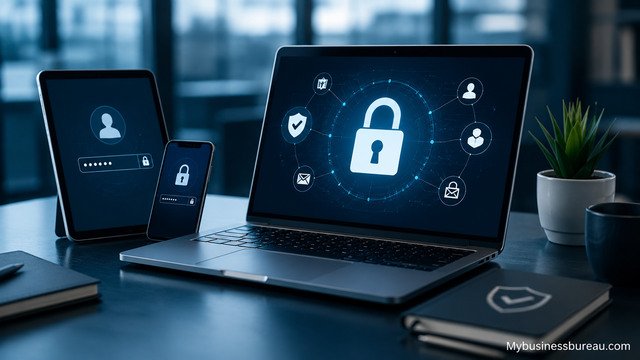
Small business IT support must protect every device and user account that touches company data. Cybersecurity is no longer only a large-company concern. Small businesses often hold customer records, payment information, employee files, contracts, and email accounts that attackers can exploit. Strong device and account security reduces the chance of ransomware, fraud, data theft, and business interruption.
Every computer should use updated operating systems, endpoint protection, disk encryption, automatic patching, and secure login settings. User accounts should follow least-access rules, meaning each employee gets only the access needed for their role. Password managers should replace reused passwords, and multi-factor authentication should protect email, banking, cloud storage, accounting software, and administrator accounts.
Security also depends on employee behavior. Staff should know how to spot phishing emails, suspicious attachments, fake invoices, unusual login prompts, and urgent payment requests. A short monthly security reminder can prevent mistakes that expensive software cannot fully stop. Good IT support combines tools, policies, and training into one practical defense system.
Set Up Reliable Backup And Disaster Recovery
A small business needs backup and disaster recovery planning before data loss happens. Backups protect files, emails, databases, customer records, financial documents, and operational information from accidental deletion, hardware failure, ransomware, theft, fire, or natural disaster. Disaster recovery explains how the business restores systems and resumes work after an incident.
A strong backup plan should include automatic backups, encrypted storage, cloud or off-site copies, version history, and regular recovery testing. The business should know which files are critical, how often they change, and how quickly they must be restored. For example, an accounting firm may need daily or hourly backups during tax season, while a small retail shop may prioritize point-of-sale data and inventory records.
Testing is essential because an untested backup is only a hope. IT support should confirm that files can be restored, users can access recovered data, and key systems can return within an acceptable timeframe. This planning turns backup from a passive safety net into an active business continuity tool.
Improve Network Performance And Internet Reliability
Small business IT support should make the network fast, stable, and secure. Employees rely on internet access, Wi-Fi, cloud software, video calls, shared files, printers, payment systems, and customer communication. When the network fails, productivity stops and customers may feel the impact immediately.
The business should evaluate internet speed, router quality, firewall protection, Wi-Fi coverage, cable condition, device traffic, and guest network setup. A modern firewall can protect business traffic, block suspicious activity, and separate employee devices from visitor access. Wi-Fi should cover work areas without dead zones, and important devices such as payment terminals or servers should use stable wired connections when possible.
Network planning also supports future growth. More employees, cloud tools, security cameras, VoIP phones, and connected devices increase traffic. A well-designed network gives the business room to expand without constant troubleshooting or emergency upgrades.
Manage Cloud Services And Business Software
Small business IT support should organize cloud services and software so employees can work securely and efficiently. Many companies use Microsoft 365, Google Workspace, accounting platforms, customer relationship management tools, project management software, file-sharing platforms, and industry-specific applications. Without proper management, these tools can become messy, expensive, and risky.
A business should track software licenses, user permissions, renewal dates, storage limits, integrations, and administrator accounts. Employees should receive access based on job duties, and access should be removed immediately when someone leaves the company. Shared accounts should be avoided because they weaken security and make accountability difficult.
Good software management also improves cost control. Many small businesses pay for unused licenses, duplicate tools, or premium features they do not need. IT support can review usage, remove waste, standardize approved platforms, and help employees use the tools more effectively.
Provide Fast Help Desk Support For Employees
Small business IT support should give employees a clear way to get help when technology problems interrupt their work. A help desk handles password resets, software errors, printer issues, email problems, slow computers, connection failures, and device setup. Fast support reduces frustration and keeps employees focused on customers and revenue-producing tasks.
The business should define how employees request help, how urgent problems are prioritized, and what response times are expected. A ticketing system works better than scattered texts, hallway conversations, or forgotten emails. Each request should include the user, device, issue, urgency, and steps already tried.
Help desk records also reveal patterns. If several employees report slow Wi-Fi, the real issue may be network capacity. If password resets happen often, the company may need a password manager or better login process. Support data helps the business fix root causes rather than repeating the same quick repairs.
Create Clear IT Policies And Employee Guidelines
Small business IT support becomes stronger when employees know the rules for using company technology. Clear policies reduce confusion, prevent risky behavior, and support consistent decisions. These policies do not need to be complicated, but they should be written, shared, and enforced.
Important policies include password rules, acceptable device use, remote work requirements, email security, software installation approval, data handling, file storage, bring-your-own-device rules, and employee offboarding. A business should also explain who owns company data, where files should be stored, and what employees must do if a device is lost or a suspicious email appears.
Policies protect both the company and the employee. When expectations are clear, staff members can make better decisions without guessing. IT support can help write practical guidelines that match daily workflows instead of creating rules nobody follows.
Plan Cybersecurity Protection For Daily Operations

Small business IT support should treat cybersecurity as an ongoing business function, not a one-time software installation. Threats change, employees change, software changes, and attackers constantly search for weak systems. A company needs layered protection across devices, accounts, networks, email, cloud platforms, and backups.
Core protections include endpoint security, firewalls, multi-factor authentication, spam filtering, secure backups, software updates, vulnerability checks, and user training. Businesses that handle payments, health data, legal documents, financial records, or customer databases may need stronger controls and documentation.
Cybersecurity planning should also include an incident response process. The company should know who to contact, which systems to disconnect, how to preserve evidence, and how to communicate with customers or vendors if an incident occurs. A calm response plan can reduce damage when minutes matter.
Support Remote And Hybrid Work Securely
Small business IT support should make remote and hybrid work productive without exposing company data. Employees may work from home, client sites, shared offices, hotels, or mobile devices. Each location introduces different risks, including insecure Wi-Fi, lost devices, personal computers, and weak home networks.
Remote work support should include secure cloud access, multi-factor authentication, device management, VPN where appropriate, approved collaboration tools, and clear file storage rules. Employees should avoid saving company files only on local devices, using personal email for business documents, or sharing passwords through chat messages.
Hybrid work also requires good communication tools. Video meetings, shared calendars, cloud documents, chat platforms, and project management software should work smoothly across locations. IT support helps standardize these tools so employees do not create separate systems that fragment information.
Track IT Costs And Build A Practical Budget
Small business IT support should help owners understand and control technology costs. IT spending includes hardware, software subscriptions, internet service, cybersecurity tools, support contracts, cloud storage, backups, warranties, training, and replacement equipment. Without tracking, these costs can grow quietly.
A practical IT budget should include monthly support costs, planned hardware replacement, software renewals, cybersecurity improvements, backup services, and emergency reserves. Devices should have a replacement cycle, often based on performance, age, warranty, and business role. Critical equipment should not be replaced only after failure.
Budget planning also supports smarter decisions. A company can compare the cost of downtime with the cost of preventive support. For many small businesses, a monthly managed IT plan costs less than repeated emergencies, lost productivity, and security incidents.
Select A Trustworthy IT Support Provider
A small business should choose an IT support provider with technical skill, clear communication, reliable response times, and experience with similar companies. The provider should understand the business’s industry, software, compliance needs, growth plans, and budget limits.
Before choosing a provider, the business should ask about services included, response times, cybersecurity tools, backup strategy, remote support, on-site availability, pricing, contract terms, reporting, and escalation procedures. The provider should explain solutions in plain language and document important systems.
A trustworthy provider acts as a technology partner rather than a repair-only vendor. The right partner recommends improvements, prevents avoidable problems, and helps the business make decisions that support long-term growth.
Measure IT Support Performance Regularly
Small business IT support should be measured so the company knows whether it is receiving real value. Useful measurements include ticket response time, issue resolution time, recurring problems, backup success rate, security update status, uptime, user satisfaction, and completed improvement projects.
Regular reporting helps owners see risks before they become expensive problems. For example, a report may show that several devices are near end of life, backups are failing on one workstation, or users are not enabling multi-factor authentication. These details create action instead of guesswork.
Performance reviews should happen at least quarterly for growing businesses. During these reviews, the company and IT provider can discuss upcoming needs, software changes, employee growth, security concerns, and budget priorities.
Conclusion
Small business IT support gives companies the stability, security, and structure needed to operate with confidence. It protects data, supports employees, improves network performance, manages software, reduces downtime, and prepares the business for growth. The best approach is proactive, organized, and matched to the company’s size, risks, and goals. When technology is supported properly, small businesses spend less time fighting IT problems and more time serving customers, improving operations, and building long-term success.
Visit mybusinessbureau.com for expert business insights and smart growth strategies.
FAQ’s
Small business IT support cost depends on company size, number of users, service level, cybersecurity needs, and support model. Managed IT services usually charge a monthly fee, while break-fix providers charge per issue or per hour.
Not every small business needs full managed IT support, but most businesses need some professional IT help. Companies that rely on email, cloud software, customer data, online payments, or remote work benefit from proactive support.
It should include help desk support, device management, network support, cybersecurity, backups, cloud administration, software updates, user access management, and technology planning.
IT support improves cybersecurity by securing devices, enabling multi-factor authentication, updating software, managing firewalls, protecting email, training employees, and monitoring suspicious activity.
A small business should replace computers when they become slow, unreliable, unsupported, costly to repair, or unable to run required software securely. Many businesses use a planned replacement cycle to avoid sudden failures.
Yes. IT support can set up secure cloud access, remote device management, collaboration tools, VPN access where needed, multi-factor authentication, and clear remote work security rules.
