






Artificial intelligence has transformed video creation, making it possible to animate a single image into a cinematic clip within minutes. In 2026, free AI image-to-video tools have become more powerful than ever, offering realistic motion, camera movements, lip-sync, character consistency, and high-definition outputs without requiring advanced editing skills.
Choose Kling AI for the Most Realistic Image Animation
Kling AI continues to dominate the AI video generation space in 2026 because of its impressive physics simulation, natural movement, and cinematic camera controls. Even the free version produces results that closely resemble professionally animated footage.
Users can upload a portrait, landscape, artwork, or AI-generated image and transform it into a moving scene using text prompts. Camera zooms, facial expressions, environmental motion, and lighting changes are handled automatically.
Kling AI performs particularly well for:
- Portrait animation
- Fantasy artwork
- Product showcases
- Nature scenes
- Storytelling videos
- YouTube Shorts
- Instagram Reels
Its rendering quality consistently ranks among the highest available in a free AI platform.
Create Consistent Character Videos with Hailuo AI

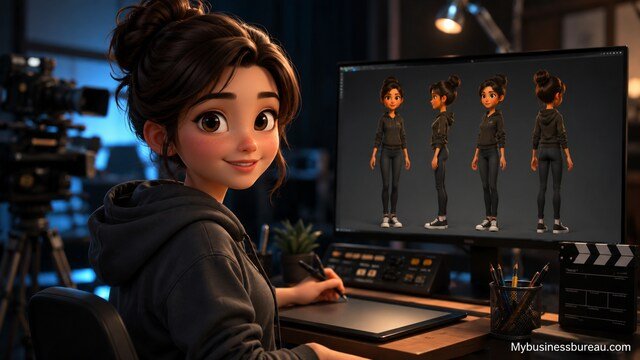
Hailuo AI has become popular because it excels at maintaining character consistency between frames. Instead of producing distorted faces or changing clothing, it keeps the subject remarkably stable.
This makes it especially useful for:
- AI influencers
- Animated storytelling
- Children’s content
- Educational videos
- Digital avatars
The free plan provides daily credits, allowing creators to experiment without spending money.
Another strength is prompt adherence. Detailed prompts usually produce predictable results, reducing the need for multiple generations.
Generate Social Media Videos with Pika
Pika remains one of the easiest AI video generators for beginners. Its interface is clean, generation times are fast, and it includes several creative animation presets.
Creators frequently use Pika for:
- TikTok
- Instagram Reels
- Facebook videos
- Pinterest animations
- Short advertisements
Instead of requiring complex prompts, Pika offers simple controls for camera movement, animation intensity, and motion style.
Its free version is ideal for casual creators who publish content regularly.
Produce Cinematic Motion Using Luma Dream Machine
Luma Dream Machine focuses on realism. It creates smooth transitions, believable object movement, and cinematic camera paths that often rival premium software.
Unlike many generators that simply move the camera around a still image, Dream Machine predicts realistic motion across the entire scene.
Common use cases include:
- Movie concepts
- Travel videos
- Landscape animation
- Architecture visualization
- Commercial presentations
Even the free plan provides impressive image quality, although daily generation limits apply.
Build Anime and Creative Videos with PixVerse AI
PixVerse AI is especially attractive for users who enjoy anime, fantasy art, gaming content, or stylized illustrations.
Its AI understands artistic styles better than many competitors while also supporting realistic photography.
Popular styles include:
- Anime
- Cyberpunk
- Fantasy
- Oil painting
- Cartoon
- Science fiction
- Digital art
PixVerse also includes motion templates that help beginners achieve professional-looking animations without extensive prompt engineering.
Produce Professional Projects Using Runway Gen-4
Runway has evolved into one of the most advanced AI filmmaking platforms available.
Although the free plan includes limited credits, users gain access to features such as:
- Image-to-video
- Motion brush
- Camera controls
- Scene editing
- Object removal
- Video extension
- AI upscaling
Professional creators often combine Runway with traditional editing software to produce documentaries, advertisements, and YouTube videos.
Its strength lies in offering advanced creative control rather than one-click generation.
Create Commercial Content with Adobe Firefly Video
Adobe Firefly integrates AI video generation with the broader Adobe Creative Cloud ecosystem.
Designers working with Photoshop, Illustrator, Premiere Pro, and After Effects benefit from a familiar workflow while leveraging AI-generated motion.
Firefly is particularly suitable for:
- Brand marketing
- Product launches
- Educational presentations
- Corporate videos
- Advertising campaigns
Adobe emphasizes commercially safe content generation, making Firefly an attractive option for businesses.
Add Dynamic Camera Effects with Higgsfield AI
Higgsfield AI focuses on dramatic cinematic movement rather than only object animation.
Users can apply effects such as:
- Crane shots
- Dolly zooms
- Orbit camera
- Handheld simulation
- Slow cinematic push
- Action camera movement
These effects significantly improve otherwise static AI-generated images and help produce more engaging videos for social media.
Compare Features That Matter Most
Choosing an AI image-to-video tool depends on more than visual quality. Consider workflow, speed, consistency, and creative flexibility.
| Feature | Kling | Hailuo | Pika | Luma | PixVerse | Runway | Firefly |
| Realism | Excellent | Very Good | Good | Excellent | Good | Excellent | Excellent |
| Character Consistency | Excellent | Excellent | Good | Very Good | Good | Excellent | Very Good |
| Speed | Fast | Fast | Very Fast | Moderate | Fast | Moderate | Moderate |
| Beginner Friendly | Yes | Yes | Excellent | Yes | Yes | Intermediate | Intermediate |
| Professional Workflow | Good | Good | Moderate | Excellent | Good | Excellent | Excellent |
Write Better Prompts for Higher Quality Videos
The quality of your AI-generated video depends heavily on your prompt.
A strong prompt should describe:
- Subject
- Movement
- Camera angle
- Lighting
- Environment
- Mood
- Style
- Duration
Example:
“A young woman standing on a mountain at sunrise, gentle wind moving her hair, cinematic drone camera slowly circling around her, golden lighting, ultra realistic, shallow depth of field.”
Specific prompts consistently outperform vague descriptions such as “make this image move.”
Optimize Images Before Video Generation
The original image strongly influences the final animation.
For the best results:
- Use high-resolution images.
- Avoid blurry photographs.
- Ensure faces are clearly visible.
- Leave enough background for camera movement.
- Use balanced lighting.
- Remove distracting objects.
- Maintain realistic proportions.
Well-prepared images reduce visual artifacts and improve motion consistency.
Reduce Common AI Video Generation Problems
Even advanced AI generators occasionally produce unwanted results.
Common issues include:
Face distortion
Use front-facing portraits with clear lighting.
Extra limbs
Avoid crowded scenes containing multiple overlapping people.
Background warping
Keep backgrounds clean and uncluttered.
Camera jitter
Select gentle camera movements instead of aggressive motion.
Motion inconsistency
Use detailed prompts describing smooth, natural movement.
Generating multiple variations and selecting the best output often produces better results than relying on a single generation.
Publish AI Videos Across Multiple Platforms
Different platforms require different aspect ratios and video lengths.
General recommendations include:
- TikTok: Vertical videos with quick motion.
- Instagram Reels: High-energy, engaging visuals.
- YouTube Shorts: Story-driven sequences with strong openings.
- Facebook: Product demonstrations and educational clips.
- LinkedIn: Professional presentations and business animations.
Exporting in the correct format helps maximize viewer engagement and reduces the need for additional editing.
Combine Multiple AI Tools for Better Results
Many experienced creators use several AI tools together instead of relying on a single platform.
A common workflow looks like this:
- Generate an image with an AI image generator.
- Enhance the image using an AI upscaler.
- Animate it with Kling AI or Luma Dream Machine.
- Edit the video in Runway or Adobe Premiere Pro.
- Add captions and music.
- Publish across multiple social media platforms.
This approach offers greater creative control and often results in more polished videos.
Stay Within Free Usage Limits
Most free AI image-to-video platforms operate using daily or monthly credits.
To make the most of free plans:
- Test prompts with short clips first.
- Save successful prompts for reuse.
- Avoid unnecessary regenerations.
- Batch similar projects together.
- Download completed videos promptly if temporary storage is limited.
Efficient credit management lets you create more content without upgrading immediately.
Conclusion
Free AI image-to-video technology has reached an impressive level of maturity in 2026. Platforms such as Kling AI, Hailuo AI, Luma Dream Machine, Pika, PixVerse AI, Runway Gen-4, Adobe Firefly Video, and Higgsfield AI each serve different creative needs, from social media content and animated storytelling to professional marketing campaigns and cinematic productions.
For most users, Kling AI offers the best balance of realism, ease of use, and free accessibility. Hailuo AI is an excellent choice for consistent character animation, while Luma Dream Machine excels at cinematic visuals. Pika remains one of the easiest tools for beginners, PixVerse AI is ideal for stylized artwork, Runway Gen-4 caters to professional creators, Adobe Firefly integrates seamlessly into commercial design workflows, and Higgsfield AI stands out with dynamic camera effects.
By combining high-quality source images, detailed prompts, and the right platform, you can produce engaging AI videos without spending money, making 2026 one of the best times yet to explore AI-powered video creation.
FAQ’s
Kling AI is widely considered one of the strongest free options thanks to its realistic motion, cinematic quality, and intuitive interface. However, the best choice depends on your specific goals and preferred style.
Yes. Most free AI image-to-video platforms support creating short clips suitable for YouTube Shorts, with some also allowing longer videos through limited free credits.
Many free plans include watermarks or credit-based limitations. Paid subscriptions often remove these restrictions and provide higher-resolution exports.
Kling AI, Hailuo AI, and Runway Gen-4 consistently deliver some of the most convincing human motion and facial consistency among current AI video generators.
Absolutely. Tools like Pika and PixVerse AI are designed with beginner-friendly interfaces, making it easy to generate impressive videos without prior editing experience.
Start with a sharp, high-resolution image, write detailed prompts that describe movement, lighting, and camera angles, and generate multiple versions to select the strongest result. Fine-tuning prompts and combining AI tools for enhancement and editing can significantly improve the final output.


