






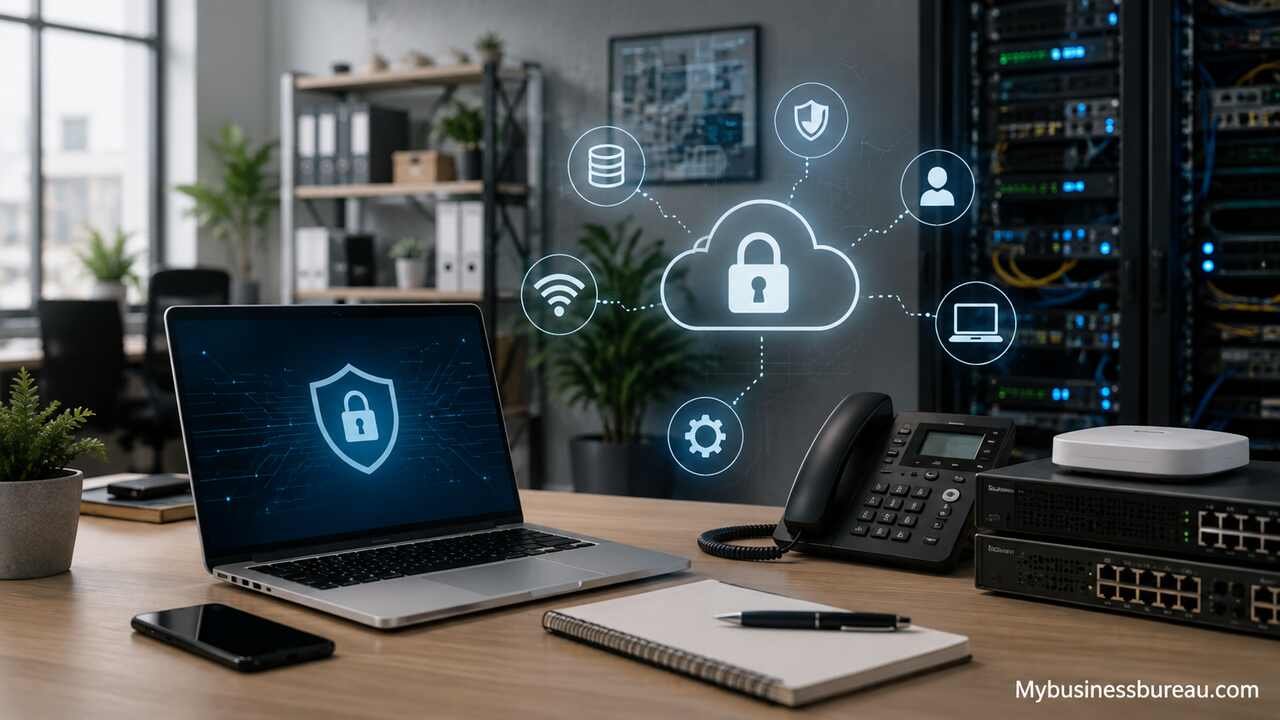
Small business IT solutions help companies manage computers, networks, cloud applications, cybersecurity, data, communication, and technical support without maintaining a large internal technology department. The right combination of tools and services allows employees to work efficiently, protects sensitive business information, reduces downtime, and supports growth.
Assess Current Technology and Business Requirements
Start by reviewing every device, application, account, network connection, and technology service used by the business. This assessment creates a clear picture of what is working, what is outdated, and where the company faces unnecessary risk. It also prevents duplicate subscriptions and disconnected systems from consuming the technology budget.
Document all desktop computers, laptops, mobile devices, printers, routers, servers, cloud platforms, email accounts, storage services, and business applications. Record the age, operating system, warranty status, owner, business purpose, and security condition of each item. Include software used for accounting, customer relationship management, project management, inventory, communication, scheduling, and payment processing.
The assessment should also identify operational requirements. A retail company may prioritize payment security, inventory access, and reliable internet connectivity. A professional services firm may need document management, secure client communication, and remote collaboration. A growing e-commerce company may require integrated order processing, cloud scalability, and advanced backup protection. These differences shape the final IT plan.
| Assessment Area | Information to Review | Business Impact |
| Hardware | Age, performance, warranty, operating system | Productivity, replacement planning |
| Software | Licenses, users, integrations, renewal dates | Cost control, workflow efficiency |
| Network | Router, Wi-Fi, firewall, internet speed | Connectivity, security, uptime |
| Data | Storage locations, access rights, backup status | Continuity, privacy, compliance |
| Support | Response times, recurring issues, service coverage | Downtime, employee productivity |
| Security | Passwords, antivirus, updates, authentication | Risk reduction, customer trust |
A complete assessment gives the business a baseline. Management can then prioritize urgent problems, plan upgrades, and avoid purchasing tools that do not address a real operational need.
Define an IT Budget and Technology Roadmap
Create an annual IT budget that covers hardware, software, cybersecurity, cloud services, technical support, internet connectivity, backups, and planned replacements. A defined budget turns technology spending into a controlled business investment rather than a series of emergency purchases.
Separate technology costs into fixed, variable, and unexpected expenses. Fixed costs may include software subscriptions, managed IT services, and internet plans. Variable costs may increase as the company adds employees, storage, licenses, or devices. Unexpected costs include failed equipment, emergency repairs, security incidents, or urgent data recovery.
The roadmap should connect each investment to a business objective. A company that wants to improve remote work may prioritize cloud file sharing, device management, and secure access. A company experiencing frequent outages may replace aging network equipment and implement proactive monitoring. A business preparing to expand may standardize devices, automate employee onboarding, and adopt scalable cloud applications.
Plan upgrades over several quarters instead of replacing everything at once. Critical security weaknesses and unsupported systems should receive immediate attention. Productivity improvements can follow based on expected value. Long-term projects, such as migrating a legacy application or redesigning the network, can be scheduled after essential risks are controlled.
A useful roadmap includes project priorities, estimated costs, responsible owners, target dates, dependencies, and expected outcomes. This structure keeps technology decisions aligned with cash flow and growth plans.
Standardize Business Computers and Mobile Devices
Choose a consistent set of computers, operating systems, accessories, and mobile devices for employees. Standardization simplifies technical support, improves security, reduces compatibility problems, and makes replacement planning easier.
Business-grade devices usually provide stronger warranties, better repair options, improved security features, and longer support cycles than entry-level consumer equipment. Each device should include sufficient processing power, memory, storage, and battery life for the employee’s role. An accountant working with large spreadsheets may need more memory than a front-desk employee who mainly uses email and scheduling software.
Create standard configurations for different job categories. Sales employees may need lightweight laptops, mobile connectivity, and customer relationship management access. Designers may require powerful processors, high-resolution displays, and larger storage capacity. Administrative staff may need reliable desktop systems with dual monitors and secure access to shared documents.
Every business device should use an approved operating system, encrypted storage, automatic updates, antivirus protection, screen-lock settings, and a managed user account. Employees should not install unapproved software or share local administrator credentials. These controls reduce malware risk and make it easier to maintain consistent performance.
Mobile phones and tablets also require management. A mobile device management platform can enforce passcodes, separate company data from personal data, distribute applications, and remotely erase business information when a device is lost or an employee leaves.
Strengthen Network Security and Internet Reliability

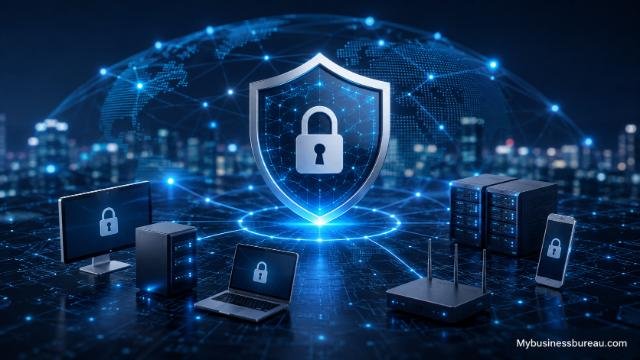
Install a secure business network with a commercial-grade router, firewall, managed switches, protected wireless access, and reliable internet service. The network connects employees to business systems, so weaknesses at this level can affect every device and application.
Separate business devices, guest users, smart devices, security cameras, and payment systems into different network segments. A guest Wi-Fi network should not provide access to internal files or company computers. Internet-connected devices such as printers, thermostats, and cameras should also remain isolated because they may receive fewer security updates.
Change all default router and equipment passwords. Use strong wireless encryption, disable outdated protocols, update firmware, and limit access to network administration settings. Firewall rules should block unnecessary traffic while allowing approved business applications to function.
Internet reliability also requires planning. Businesses that depend on cloud applications, online payments, video meetings, or internet-based phones may lose revenue during an outage. A secondary internet connection or mobile backup service can keep essential operations running when the main provider fails.
Monitor bandwidth usage to confirm that the internet plan supports the number of employees and applications in use. Slow performance may result from limited capacity, weak wireless coverage, damaged equipment, or excessive background traffic. A network assessment can identify the actual cause before the business pays for an unnecessary service upgrade.
Move Essential Systems to Secure Cloud Platforms
Adopt cloud services for email, file storage, collaboration, accounting, customer management, and other suitable business processes. Cloud platforms reduce dependence on local servers and allow employees to access authorized information from different locations.
Common cloud solutions include business email suites, shared document platforms, customer relationship management systems, accounting software, project management tools, and cloud-based phone systems. These services often include automatic updates, centralized administration, user access controls, and subscription-based pricing.
Cloud migration still requires careful planning. Review data sensitivity, integration requirements, internet dependency, user permissions, backup options, and provider support before moving a system. Confirm that the platform supports the company’s privacy, retention, and industry obligations.
Avoid storing business files across multiple unapproved personal accounts. Scattered storage creates duplicate documents, inconsistent permissions, and a higher risk of data loss. A centralized platform should define where employees save files, how folders are organized, who can share documents, and how former employees lose access.
Cloud services also support scalability. A small business can add users, storage, phone extensions, or application features without purchasing a new server. However, subscription costs can grow over time, so administrators should regularly remove unused accounts and review license levels.
Protect Accounts with Strong Identity Controls
Require every employee to use a unique business account with strong authentication. Shared usernames and reused passwords make it difficult to track activity and increase the impact of a security breach.
Enable multi-factor authentication for email, cloud storage, financial systems, remote access, administrative accounts, and other sensitive applications. Multi-factor authentication adds a second verification method, such as a security application, hardware key, or temporary code. This protection can prevent an attacker from entering an account even after obtaining the password.
Use a business password manager to create, store, and share complex passwords securely. Employees should not keep passwords in spreadsheets, notebooks, browsers without management controls, or unprotected messages. A password manager reduces the temptation to reuse simple passwords across several services.
Apply access according to job responsibility. An employee should only receive the files, applications, and administrative permissions required for assigned work. A receptionist may need access to scheduling and communication tools but not payroll records. A project manager may need client folders but not network administration rights.
Review accounts at regular intervals. Disable inactive users, remove unnecessary permissions, and verify administrative access. When an employee leaves, revoke access immediately, recover company devices, transfer business files, change shared credentials, and preserve required records.
Install Layered Cybersecurity Protection
Use multiple security controls instead of depending on a single antivirus program. Modern threats can enter through email, websites, stolen credentials, infected devices, remote access tools, and software vulnerabilities.
Endpoint protection should monitor laptops, desktops, and servers for malicious activity. Email security should filter suspicious links, attachments, impersonation attempts, and unwanted messages. Web filtering can block known dangerous sites, while a firewall can restrict unauthorized network traffic.
Patch management is equally important. Operating systems, browsers, productivity software, routers, and business applications should receive security updates promptly. Unsupported software should be replaced because vendors no longer provide fixes for newly discovered weaknesses.
Security monitoring helps identify unusual behavior, such as repeated failed logins, unexpected file encryption, suspicious administrator activity, or connections from unfamiliar locations. Managed detection services can review alerts and respond when a small business does not have internal security staff.
A written incident response plan should explain how the company will handle a suspected attack. The plan should include reporting procedures, emergency contacts, system isolation steps, communication responsibilities, recovery priorities, insurance requirements, and evidence preservation. Preparation allows the business to act quickly instead of making critical decisions during a crisis.
Create Reliable Data Backup and Recovery Systems
Back up important data automatically and test recovery procedures regularly. A backup is only useful when the business can restore the correct files within an acceptable period.
Follow a layered backup approach by maintaining multiple copies of important information in separate locations. Cloud data, local files, servers, databases, and line-of-business applications may require different backup methods. Do not assume that a software provider’s availability features replace a dedicated backup.
Protect backups from ransomware by using restricted credentials, encryption, version history, and storage that cannot be easily modified by an infected computer. At least one copy should remain isolated from the primary network or protected through controlled access.
Define recovery time and recovery point requirements. Recovery time describes how quickly a system must return after an interruption. Recovery point describes how much recent data the business can afford to lose. A company processing hundreds of daily transactions may require frequent backups, while an archived document folder may need less frequent protection.
| Business System | Suggested Backup Priority | Recovery Consideration |
| Financial records | Critical | Restore accurate, recent transactions |
| Customer database | Critical | Maintain sales and service continuity |
| Shared documents | High | Recover deleted or altered files |
| High | Preserve communication and attachments | |
| Website | High | Restore content, orders, and forms |
| Archived records | Moderate | Meet retention and reference needs |
Test several recovery scenarios, including a deleted file, failed laptop, damaged server, compromised account, and unavailable cloud platform. Testing reveals missing credentials, incomplete backups, slow download speeds, and unclear responsibilities before a real emergency occurs.
Deploy Business Communication and Collaboration Tools

Select communication tools that support email, chat, video meetings, calendars, document sharing, and business phone calls. A connected communication system reduces delays and keeps information within approved company platforms.
Business email should use the company’s domain name and include spam filtering, multi-factor authentication, administrative controls, and retention settings. Employees should not use personal email accounts for customer communication or internal documents because the company cannot reliably manage or recover those messages.
Team messaging platforms can reduce long email chains, but they need organized channels, naming standards, notification rules, and retention policies. Video conferencing should include password protection, waiting rooms, meeting controls, and clear rules for recording.
Cloud-based phone systems provide extensions, call routing, voicemail, mobile applications, and analytics without requiring traditional phone hardware. A small business can route calls to remote employees, create departmental menus, and maintain a consistent customer experience across several locations.
Collaboration tools should support the workflow rather than create more communication channels. Too many overlapping applications cause employees to miss updates and duplicate work. Standardize where teams discuss projects, store final documents, schedule meetings, and record decisions.
Automate Repetitive Business Processes
Use automation to reduce manual data entry, missed tasks, and inconsistent workflows. Small businesses can automate many activities without developing custom software.
Common opportunities include invoice reminders, customer follow-ups, appointment confirmations, employee onboarding, lead assignment, document approvals, inventory alerts, and scheduled reports. Automation connects triggers to actions. For example, a completed website form can create a customer record, notify a salesperson, schedule a follow-up task, and send a confirmation email.
Begin with a clearly defined process. Document the current steps, identify delays, and confirm which applications hold the required data. Automating a disorganized process may increase confusion instead of improving efficiency.
Use integrations provided by existing software whenever possible. Accounting, customer management, e-commerce, email marketing, and project management platforms often include built-in automation features. Integration platforms can connect separate applications, but businesses should review permissions and data exposure before authorizing access.
Track the results of each automation. Useful measures include time saved, error reduction, faster response, improved payment collection, and higher task completion rates. Remove automations that create duplicate notifications or require more maintenance than the value they deliver.
Establish Remote Work and Secure Access Policies
Provide employees with approved methods for working outside the office. Remote access should protect company data while giving employees reliable access to necessary applications.
Cloud applications should require multi-factor authentication, managed devices, and appropriate access permissions. Businesses using internal servers may need a secure virtual private network or controlled remote desktop service. Directly exposing a workstation or server to the internet creates unnecessary risk.
Create a written remote work policy covering device use, public Wi-Fi, file storage, printing, video meetings, incident reporting, and physical security. Employees should avoid accessing sensitive information on shared computers and should protect screens from unauthorized viewing in public locations.
Home networks also affect security. Employees should change default router passwords, use current encryption, install firmware updates, and avoid sharing work devices with family members. A company may provide preconfigured network equipment or mobile connectivity for roles handling sensitive information.
Remote support should allow technicians to assist employees through secure, approved tools. The company should know when support sessions occur, who performed them, and which device was accessed. Employees should never grant control to an unexpected caller claiming to provide technical assistance.
Train Employees to Recognize Technology Risks
Provide regular security and technology training for every employee. Human error can bypass expensive technical controls, especially when an attacker uses convincing emails, urgent requests, or stolen business information.
Training should explain phishing, fraudulent payment requests, password protection, safe file sharing, suspicious links, device security, and incident reporting. Employees should know how to verify unusual requests through a separate communication channel before sending money, changing bank details, or sharing confidential data.
Use short, recurring sessions instead of relying only on a long annual presentation. Practical examples help employees recognize current techniques. Simulated phishing exercises can measure awareness, but they should support learning rather than embarrass individuals.
Include technology procedures in employee onboarding. New staff members should learn how to access approved systems, store documents, request support, report lost devices, and handle customer information. Managers should reinforce the same standards during daily work.
Create a reporting culture that encourages immediate action. An employee who clicks a suspicious link should contact the designated support person without fear of punishment. Fast reporting gives technicians a better chance to reset credentials, isolate devices, and prevent further damage.
Select Managed IT Support Services
Choose an IT support model that matches the company’s size, technical complexity, risk level, and operating hours. Small businesses can use internal staff, independent consultants, managed service providers, or a combination of these options.
A managed service provider can monitor devices, install updates, manage backups, administer cloud accounts, respond to support requests, and maintain security tools for a recurring fee. This model provides predictable coverage and access to several technical skills without hiring a full internal department.
Review the provider’s response times, service hours, escalation procedures, documentation standards, security practices, backup responsibilities, and contract terms. Confirm which services are included and which require additional fees. Emergency support, project work, hardware purchases, and on-site visits may be billed separately.
Ask how the provider protects its own accounts and remote management tools. A technology partner may have broad access to client systems, so it should use multi-factor authentication, restricted permissions, monitoring, employee background controls, and documented security procedures.
The provider should also explain technology decisions in business terms. Small business owners need clear recommendations, expected costs, risks, and alternatives. A trustworthy partner does not pressure the company to purchase unnecessary tools or hide important system information.
Document IT Policies and Operating Procedures
Write clear procedures for account creation, device setup, software approval, data storage, backups, security incidents, remote work, employee departures, and technology purchasing. Documentation reduces dependence on individual memory and supports consistent operations.
Maintain an inventory that links each device and software license to its assigned user. Record warranties, serial numbers, renewal dates, recovery keys, administrator contacts, and configuration details in a secure location.
Create onboarding and offboarding checklists. Onboarding should include account creation, device configuration, security training, software access, and equipment acceptance. Offboarding should include account suspension, password changes, data transfer, device return, license recovery, and access review.
Document recovery instructions for important systems. The company should know how to contact vendors, restore backups, redirect calls, access emergency credentials, and communicate with employees during an outage. Store copies where authorized leaders can access them even when the primary network is unavailable.
Review policies after major changes, incidents, or company growth. Documentation should reflect actual operations rather than outdated procedures that employees no longer follow.
Monitor Performance and Improve IT Systems
Measure technology performance through uptime, ticket volume, response time, security alerts, backup success, device age, software usage, and employee feedback. Monitoring shows whether IT investments are producing reliable business results.
Track recurring support issues. Frequent password resets may indicate poor identity tools or inadequate training. Repeated wireless problems may point to weak coverage or aging network equipment. Slow computers may require hardware upgrades, software cleanup, or better application design.
Review software usage before renewals. Remove inactive users, downgrade unnecessary license levels, and consolidate applications that perform the same function. Subscription control can reduce ongoing costs without affecting productivity.
Schedule quarterly or semiannual technology reviews. Discuss upcoming business changes, staffing plans, office moves, compliance requirements, customer needs, and major software renewals. These reviews help the IT plan remain aligned with the company’s direction.
Technology improvement is continuous. New employees, customer expectations, security threats, and operating processes change over time. Regular evaluation keeps systems reliable and prevents minor weaknesses from becoming expensive disruptions.
Conclusion
Small business IT solutions create the foundation for secure operations, productive employees, reliable customer service, and sustainable growth. The strongest technology environment combines standardized devices, protected networks, cloud platforms, identity controls, cybersecurity, automated backups, communication tools, employee training, and responsive technical support.
A business should begin by assessing existing systems and defining clear priorities. It can then address urgent risks, standardize technology, improve data protection, and introduce scalable tools in planned stages. This approach controls cost while reducing downtime and security exposure.
Technology should support the way the company operates rather than add unnecessary complexity. When each solution serves a defined business purpose, small businesses can improve efficiency, protect valuable information, and adapt confidently as their needs change.
FAQ’s
The appropriate budget depends on employee count, industry, security requirements, existing equipment, and growth plans. The budget should cover devices, software, cloud services, internet connectivity, cybersecurity, backups, and technical support. Planned spending is usually more cost-effective than emergency repairs and unplanned replacements.
Managed IT services are useful when a company lacks internal technical staff or requires consistent monitoring, maintenance, cybersecurity, and support. A provider can reduce downtime and improve system management, but the service agreement should clearly define responsibilities, response times, and additional costs.
A new business should prioritize business email, secure computers, multi-factor authentication, cloud file storage, automated backups, endpoint protection, a protected network, and reliable technical support. Additional applications should be selected according to sales, accounting, customer service, inventory, and operational requirements.
Cloud services can provide strong security when the business configures accounts correctly. Administrators should enable multi-factor authentication, control user permissions, review sharing settings, protect administrator accounts, and maintain independent backups for important information.
Replacement timing depends on performance, warranty coverage, repair history, operating system support, and employee requirements. Many businesses follow a planned lifecycle instead of waiting for complete failure. Devices that cannot run supported software or security updates should receive priority.
A small business can reduce risk by enabling multi-factor authentication, using a password manager, updating software, protecting endpoints, filtering email, restricting access, training employees, backing up data, and creating an incident response plan. Layered protection is more effective than relying on one security product.


